10 Best XLIFF Translation Tools
XLIFF is the industry standard for localization in software development, website localization, and digital publishing. If you’re localizing mobile apps, web frameworks, or when passing content to translation management systems, you’ll commonly encounter it.
In this article, we’ll share with you:
- The basic workflow to translate XLIFF files effectively
- A list of 10 XLIFF translation tools
- When to use each tool and why
If you prefer to skip straight to the tool, use the table below:
Understanding XLIFF Files
An XLIFF file is a container that pairs source strings with their translations, along with metadata to help translators do their job accurately. Because XLIFF is tool-agnostic, it works across CAT tools, TMS platforms like Lokalise, Crowdin, and POEditor, and code pipelines alike.
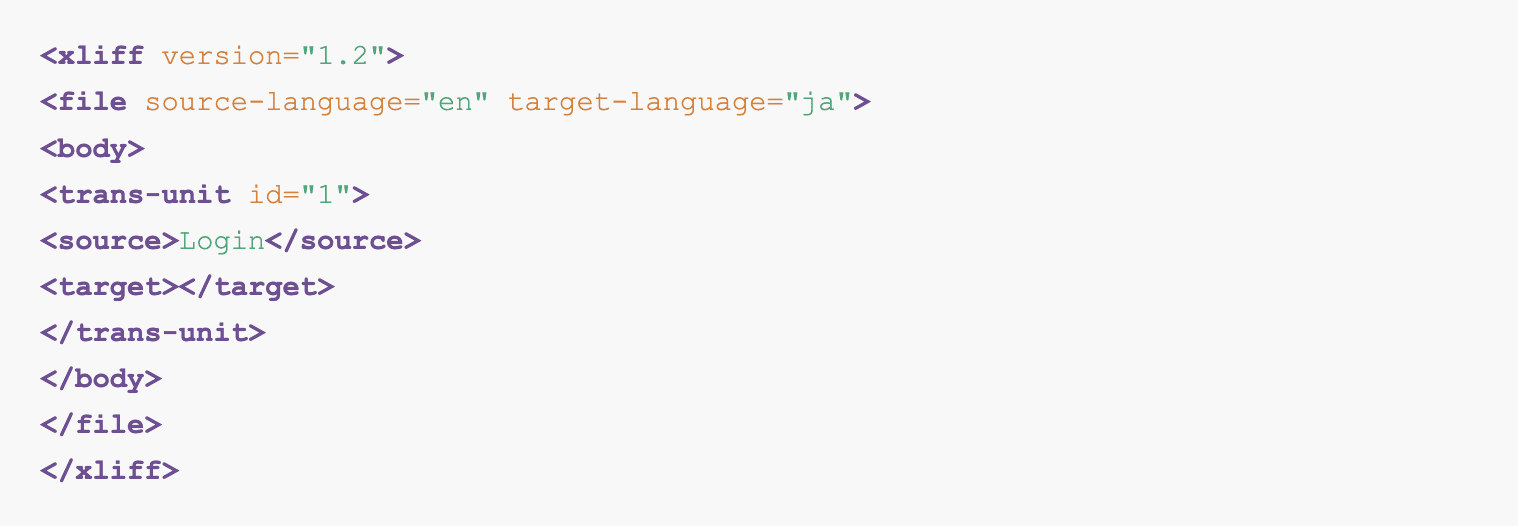
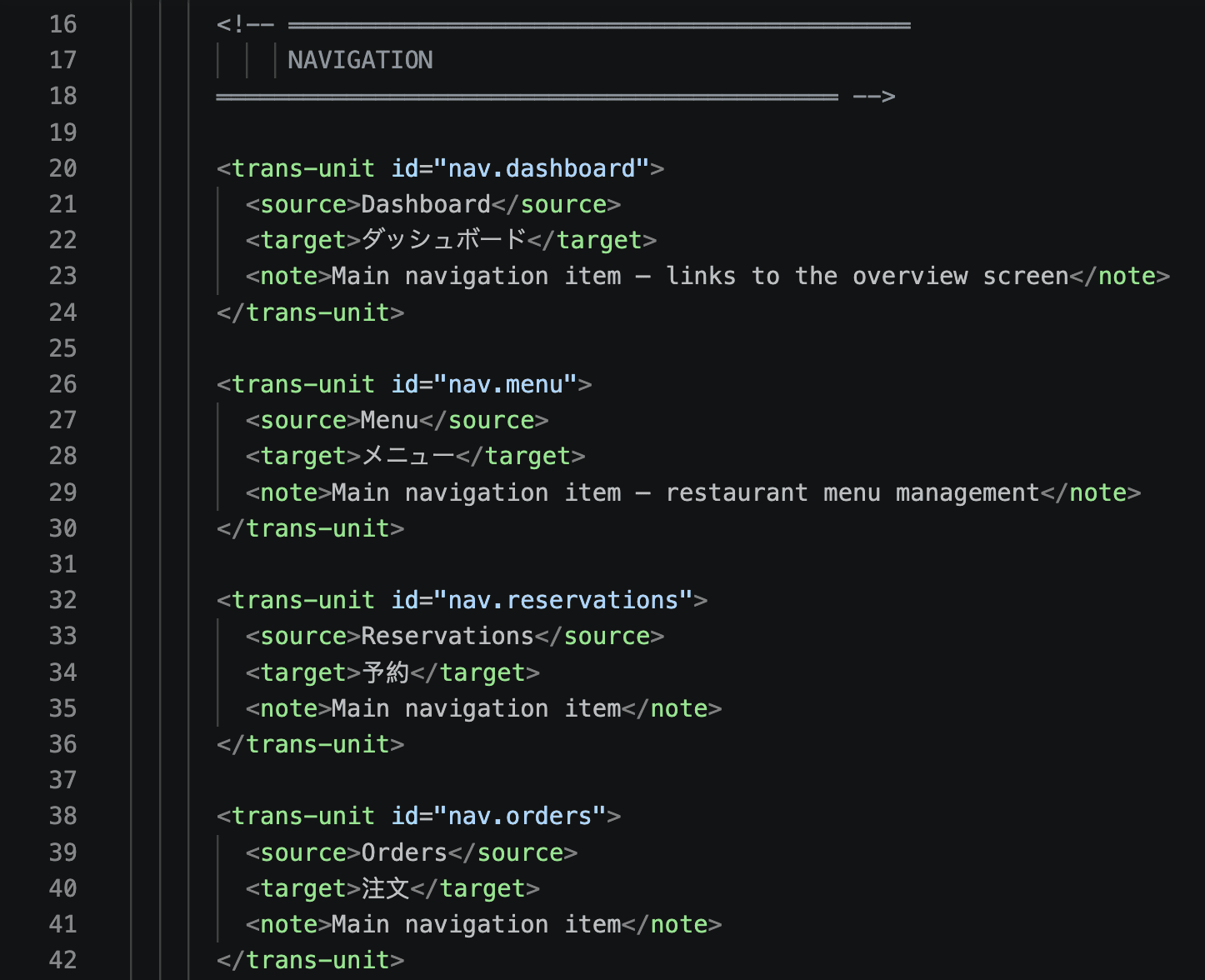
Here’s how XLIFF structures look like:
In any XLIFF file, you should see:
- <xliff> is the root element that declares the version and namespace
- <file> represents one source file being translated; it carries source-language, target-language, and original (the file path)
- <header> is optional metadata for project notes, tool info, and reference files
- <body> is where all the strings live
- <trans-unit> is the atomic unit; one per string, with a unique id
Inside a <trans-unit> you have:
- <source> is the original string in the source language
- <target> is the translated string in the target language, left empty until a translator fills it in
- <note> is an optional field for leaving context or instructions for the translator
A basic XLIFF translation workflow looks like this:
- Developer exports source strings → XLIFF generated
- XLIFF gets sent to translator / uploaded to TMS
- Translators fill <target> fields, or a tool fills in programmatically with the help of AI
- Completed XLIFF imported back to the app
- The app rebuilds with translations
With an XLIFF editor, you have several advantages:
- Placeholders are protected. Variables like
{username}or%d itemsappear as locked, unmovable tokens. The translator can’t accidentally delete or mistranslate them. - Translation memory. Previously translated segments are suggested automatically, keeping terminology consistent across files and reducing repetitive work.
- Built-in QA checks. The editor flags missing translations, mismatched placeholders, untranslated segments, or suspicious length differences before export.
- Segment-by-segment navigation. Instead of scrolling through hundreds of lines of XML, translators move through a clean list of units, marking each as draft, translated, or approved.
Our Recommendations Of The Best XLIFF Translation Tools
1. Poedit
Poedit is the most widely used desktop editor for translating localization files, and alongside its long-standing gettext support it now handles XLIFF (.xlf / .xliff) natively. It runs on Windows, Mac, and Linux, and has been the go-to tool for translators and developers for over two decades.
Poedit keeps things intentionally simple:
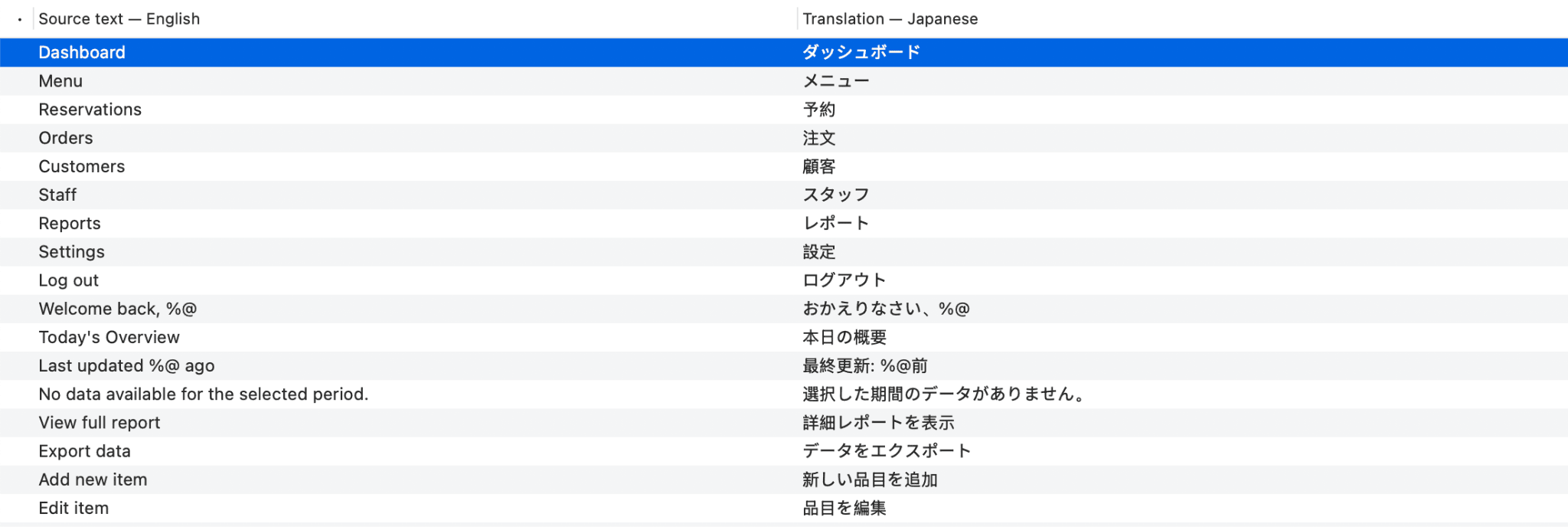
- You open an XLIFF file
- You see the source string on one side and type your translation on the other, with inline tags and placeholders clearly marked so you don’t break the file structure.
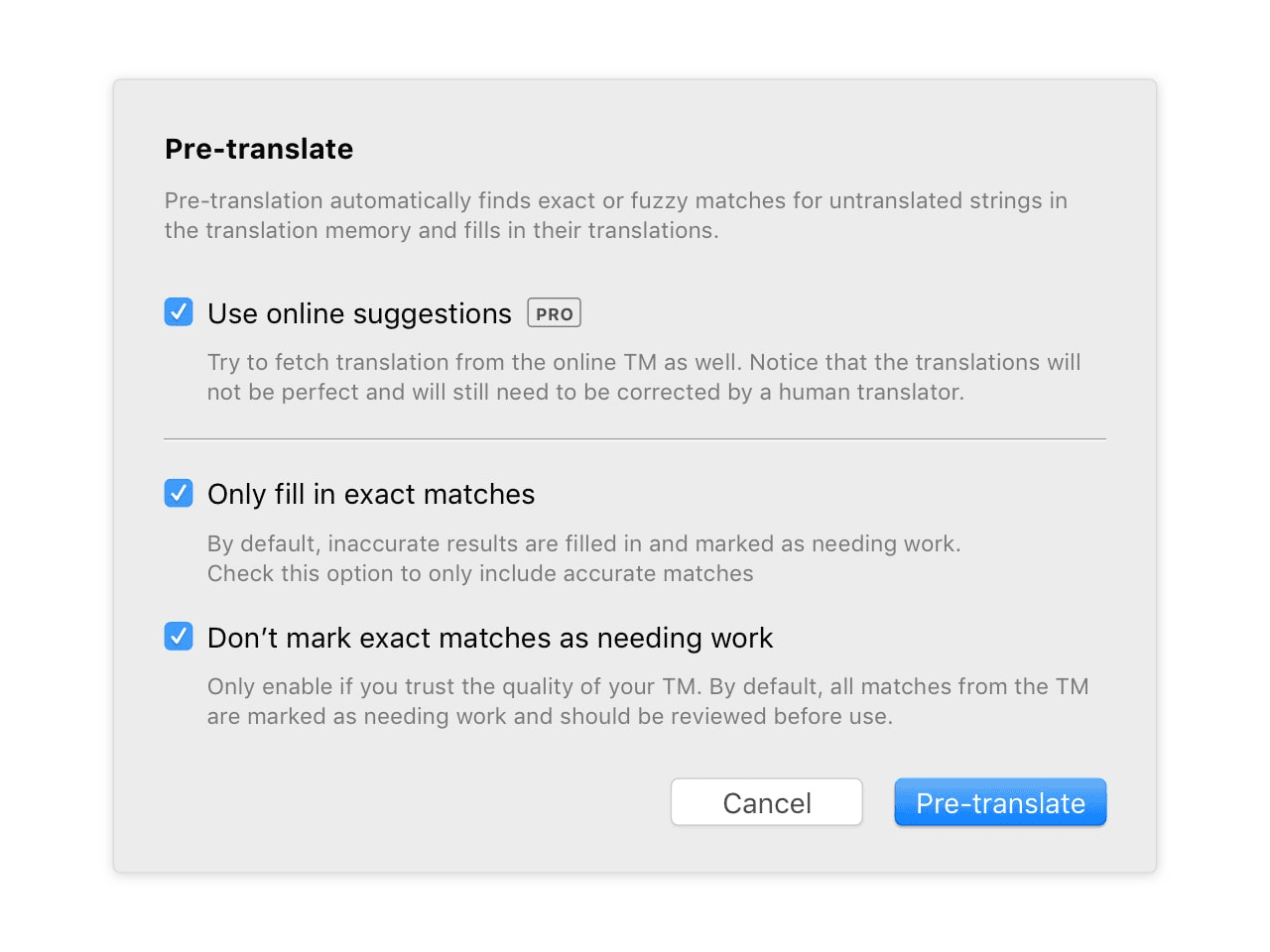
Where Poedit Pro starts to earn its price is advanced pre-translation. It can use translation memory and supported machine translation services to process untranslated entries across large XLIFF batches exported from frameworks, mobile projects, or CMS platforms.
Poedit’s advanced pre-translation can combine translation memory with supported machine translation services to process untranslated entries quickly.
For project management features, you can integrate Poedit with Crowdin or Localazy. When you need to work offline or prefer a native editor, you can pull files from Crowdin into Poedit, translate locally with TM suggestions and machine translation, then push the finished file back. No workflow disruption on either end.
You can check out Poedit - Crowdin integration here and Poedit - Localazy integration here.
- Features: XLIFF (1.2 / 2.0) editing, plus .po / .pot / .mo support, translation memory, advanced pre-translation, inline tag and placeholder checks, find and replace
- What makes it stand out: Offline-first, no account required, native app performance, the simplest possible workflow for XLIFF and gettext files in one editor. You also get advanced pre-translation that processes entire files, plus a private local translation memory that gets smarter with every string you finalize.
- Great fit for: Solo developers, mobile and software localization, translators who want a no-fuss local XLIFF editor without a SaaS subscription
Download: Download Poedit
Read the docs: Poedit documentation
2. Localazy
Localazy is a developer-focused localization platform built for indie developers and small teams that want a low-overhead way to manage XLIFF and other localization formats without the complexity of enterprise TMS tools.
Localazy is framework-agnostic, meaning it works with Angular, React, Vue, iOS Swift, Android Kotlin, and other stacks without requiring code modifications or special markup.
Localazy handles XLIFF translation through a browser-based workflow:
- You integrate Localazy with your project via CLI or API. It automatically pulls XLIFF strings on each build without manual upload.
- Translators work in a clean web editor string by string, with machine translation suggestions available inline and placeholder protection active by default
Localazy supports over 80 languages, integrates smoothly with CI/CD pipelines, and includes translation memory, machine translation, and community translation support in a single platform. Users specifically highlight XLIFF import and export support, glossary management, and translation memory across projects as standout features.
- Features: XLIFF 1.2 and 2.0 support, translation memory, machine translation (DeepL, Amazon, Google), CLI and API, CI/CD integration, glossary, community and crowdsourced translation, role-based permissions, free online XLIFF editor
- What makes it stand out: One of the most affordable TMS platforms on the market with a genuinely useful free tier, making it the most accessible entry point for developers who want automated XLIFF sync without a Lokalise or Crowdin budget
- Pricing: Free plan available with all core localization features included. Paid plans from $30/month
- Great fit for: Indie developers, startups, and small teams that want automated XLIFF sync with their build pipeline and a clean translation UI without paying enterprise TMS pricing
Website: Localazy
3. Phrase (Strings)
Phrase Strings is purpose-built for code-driven localization, and its parent platform (formerly Memsource) brings serious CAT-tool depth for teams that also need to translate marketing content.
For XLIFF localization, Phrase supports XLIFF 1.2 and 2.0 files as distinct upload options.
- Features: XLIFF 1.2 and 2.0, gettext, Apple .strings, GitHub/GitLab/Bitbucket integration, machine translation (DeepL, Google, Microsoft, Amazon), branching, CLI, in-context editor, advanced QA checks
- What makes it stand out: Enterprise-grade QA and reviewer workflows; bridges developer JSON and traditional CAT-tool TMX/TBX assets
- Pricing: Phrase Strings from ~$27/user/month (Starter); enterprise tiers higher
- Great fit for: Mid-to-large product teams with compliance or review requirements, hybrid software + marketing localization
Website: Phrase
4. memoQ
memoQ is one of the most widely used professional CAT tools for translation agencies and enterprise localization teams. While it supports virtually every major file format, its XLIFF handling is particularly strong, making it a reliable choice for teams working with software, app, or CMS exports at scale.
memoQ’s XLIFF workflow is built around the translation editor:
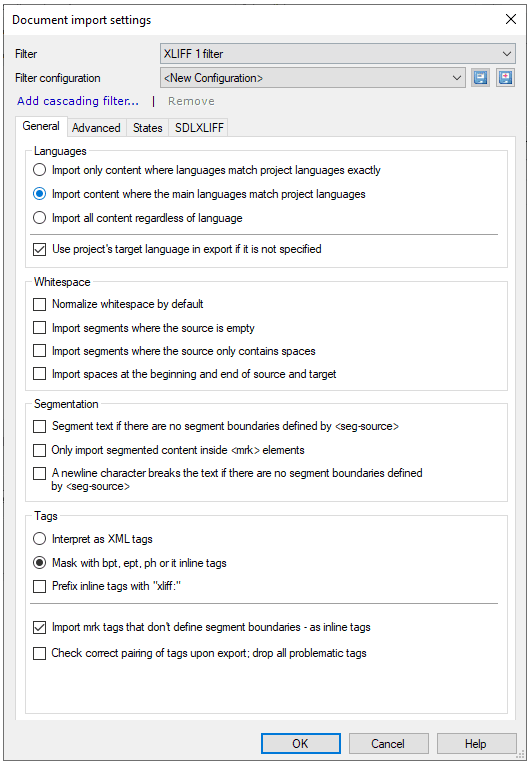
- You import an XLIFF file and memoQ segments it automatically, presenting each trans-unit as a row in the editor with source on the left and target on the right
- Inline tags and placeholders are protected by default, so translators cannot accidentally delete or corrupt them, which is a common source of broken XLIFF exports in less structured tools
memoQ also has a combination of translation memory, termbase, and LiveDocs running simultaneously in the background. As you translate, memoQ surfaces fuzzy matches from past projects and flags terminology hits inline. This cuts repetitive work significantly on large XLIFF batches.
- Features: XLIFF 1.2 and 2.0 support, translation memory, termbase, LiveDocs, QA checks, inline tag protection, machine translation integrations (DeepL, Google, Microsoft), project packages, team server for collaborative translation
- What makes it stand out: Enterprise-grade TM and QA in a desktop app, with a server option for teams that need concurrent access to shared resources across multiple XLIFF projects
- Pricing: memoQ translator pro from $200/year; team server pricing on request
- Great fit for: Translation agencies, in-house localization teams, and enterprise projects where XLIFF files are large, repetitive, and require consistent terminology enforcement across multiple translators
Download: memoQ Download
5. SDL Trados Studio
SDL Trados Studio is the longest-standing name in professional translation software, and the de facto standard tool at large language service providers worldwide.
It supports a wide range of file formats including XLIFF, and for teams already embedded in the Trados ecosystem it remains the most interoperable option across the supply chain.
SDL Trados handles XLIFF translation through its standard editor view:
- You go to File Types in Project Settings
- Select XLIFF to configure how the file opens
- Trados segments the file into translation units, displaying source and target side by side in the Editor view
- Tags and placeholders are locked and visually distinct, with segment status mapped between XLIFF states and Trados states so the right segments are locked, editable, or pre-confirmed on import
MultiTerm is Trados’ built-in terminology management system. It runs alongside the translation editor and enforces approved translations for product names, UI labels, and brand terms across every segment.
- Features: XLIFF 1.2 and 2.0 support, translation memory, MultiTerm termbase, AutoSuggest, QA Checker, machine translation integrations (DeepL, Google, Microsoft), team server via Trados GroupShare, project packaging
- What makes it stand out: The widest industry adoption of any CAT tool, meaning XLIFF packages exported from Trados are universally accepted by agencies and freelancers without compatibility friction
- Pricing: Trados Studio Freelance from $845 one-time; team and enterprise pricing on request
- Great fit for: Large LSPs, enterprise in-house teams, and any organization where XLIFF files move between multiple vendors and tool compatibility across the supply chain is non-negotiable
Download: SDL Trados Studio Download
6. Lingo.dev
Lingo.dev (formerly Replexica) is a CLI-first localization engine built for modern JavaScript frameworks.
It works entirely from your terminal. You run the CLI against your XLIFF files and it writes the translated files back out.
For XLIFF translation specifically, Lingo supports .xlf and .xliff files.
- Features: XLIFF files, CLI-native workflow, AI translation with code context, GitHub Actions integration, translation memory
- What makes it stand out: You can run Lingo in CI and translated files are committed automatically
- Pricing: Free tier available; paid plans from ~$19/month
Website: Lingo.dev
7. Lokalise
Lokalise is a cloud-based translation management system built for software and SaaS teams that need to move fast on localization. Unlike desktop editors, Lokalise is designed around the developer workflow, with Git sync, API access, and CI/CD integration being first-class features.
Lokalise handles XLIFF translation through a browser-based editor. You can upload an XLIFF file directly or pull it in via GitHub, GitLab, or Bitbucket sync, and Lokalise parses every trans-unit into its key-value editor
- Features: XLIFF 1.2 and 2.0, translation memory, machine translation (DeepL, Google, OpenAI), Git and GitHub sync, in-context editor, screenshot context, role-based access, QA checks, webhooks, REST API, Figma and Sketch plugins
- What makes it stand out: The tightest developer-to-translator handoff on this list — translated XLIFF files push back to the repo automatically, no manual export-and-reupload cycle
- Pricing: Free trial available. Paid plans from $120/month billed annually
- Great fit for: SaaS and mobile app teams that treat localization as part of the development pipeline
Website: Lokalise
8. Crowdin
Crowdin is a cloud-based localization platform built around developer and open-source workflows, and one of the most widely used TMS platforms for software teams managing XLIFF localization at scale. It sits in the same category as Lokalise but leans more heavily into community translation and open-source project support.
You can read more about Crowdin XLIFF localization here.
Open-source projects can invite volunteer translators directly to the Crowdin platform, while commercial teams can gate access behind approval workflows. This makes it flexible enough to serve both models from the same codebase.
- Features: XLIFF 1.2 and 2.0 support, translation memory, machine translation (DeepL, Google, Microsoft, OpenAI), Git integrations, in-context editor, screenshot localization, QA checks, glossary, crowdsourced translation support, REST API, webhooks, iOS and Android SDK integrations
- What makes it stand out: The most mature open-source and community translation support of any TMS on this list, combined with a deep integration library that covers practically every repo, CMS, and design tool a software team might already be using
- Pricing: Free plan available for open-source projects. Paid plans from $50/month billed annually
- Great fit for: Open-source projects needing community translation support, and software teams that want a broad integration ecosystem and strong Git sync without paying Lokalise or Phrase pricing
Website: Crowdin
9. Smartcat
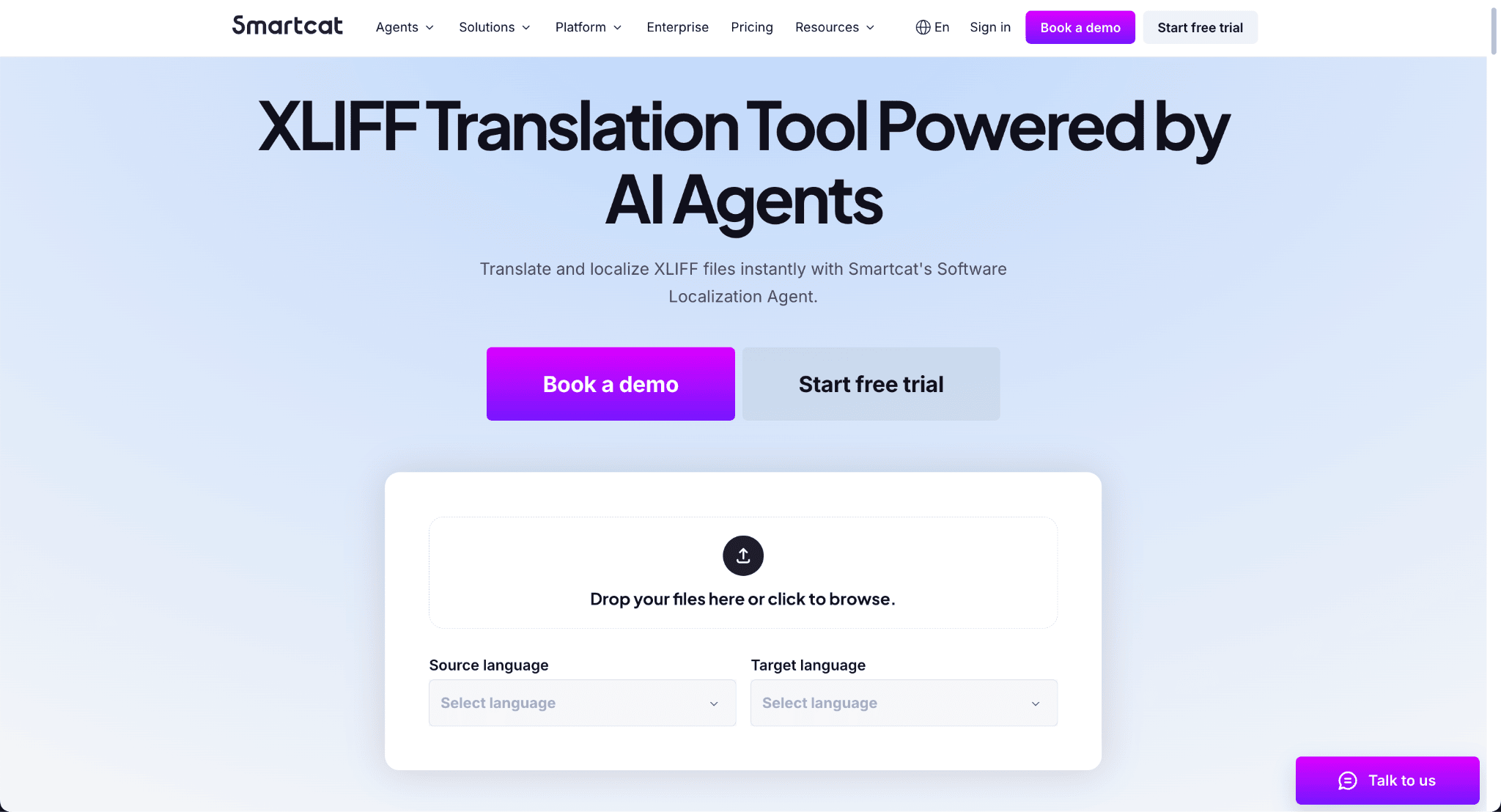
Smartcat is a browser-based translation platform that combines an AI-powered editor, a freelancer marketplace, and a TMS in one place. Its dedicated XLIFF translation tool is built around a Software Localization Agent that handles file parsing, translation, and export without any manual formatting or file conversion required.
Here’s how you do it:
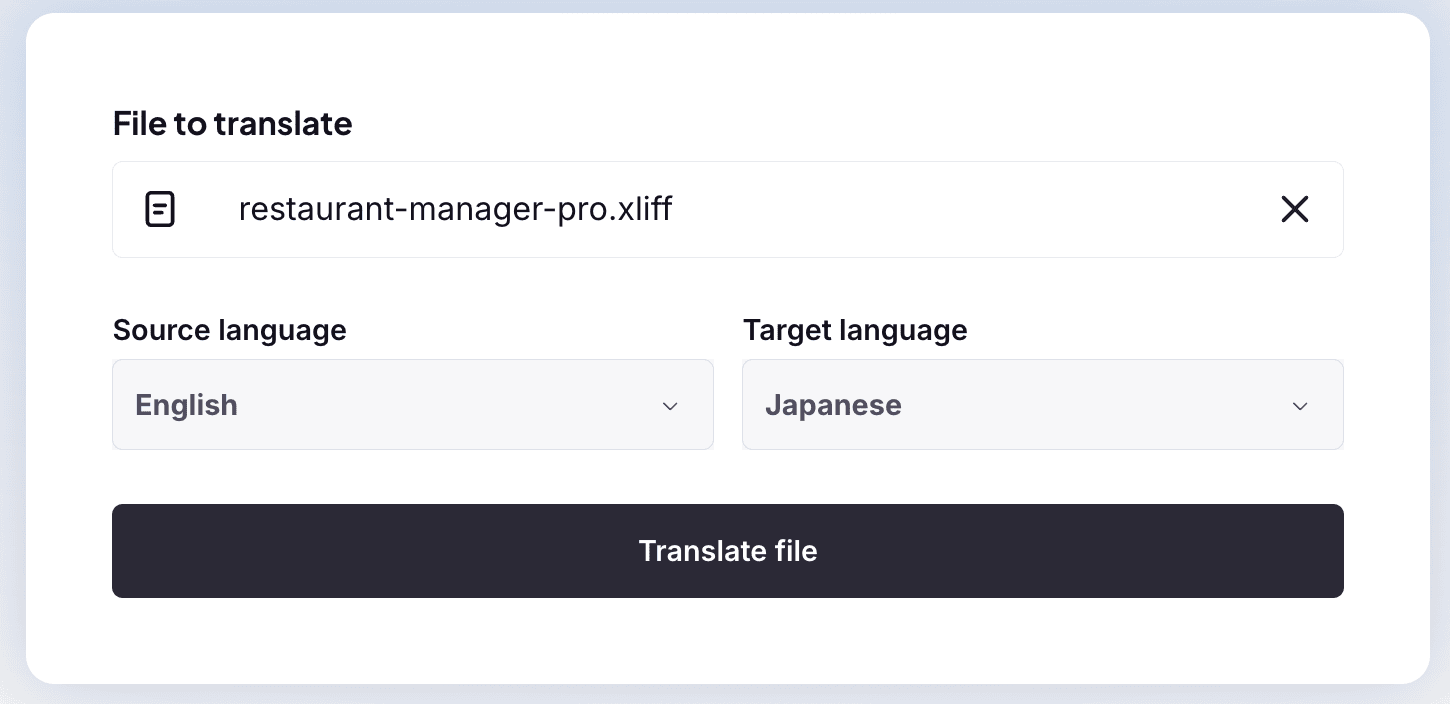
- You drag and drop an XLIFF file directly into the platform, select your source and target languages, and the Software Localization Agent generates context-aware translations automatically (you need to sign up for an account)
- You then review and edit strings in Smartcat’s editor before exporting the completed XLIFF file, with the entire workflow contained in one tab
Smartcat supports over 280 languages and 80+ file formats, and 25% of the Fortune 500 use it as their XLIFF translation tool.
- Features: XLIFF upload and export, AI-powered Software Localization Agent, translation memory, 280+ languages, 80+ file format support, real-time collaboration, freelancer marketplace, revision management, custom workflows
- What makes it stand out: The only tool on this list that combines an AI translation agent, a built-in reviewer workflow, and access to a marketplace of professional translators in a single browser-based platform with no installation required
- Pricing: Free trial available. Paid plans from $99/month
- Great fit for: Enterprise and eLearning teams that need scalable XLIFF translation without a desktop CAT setup, and want the option to loop in human translators from the same platform
Website: Smartcat XLIFF Translation Editor
10. Redokun
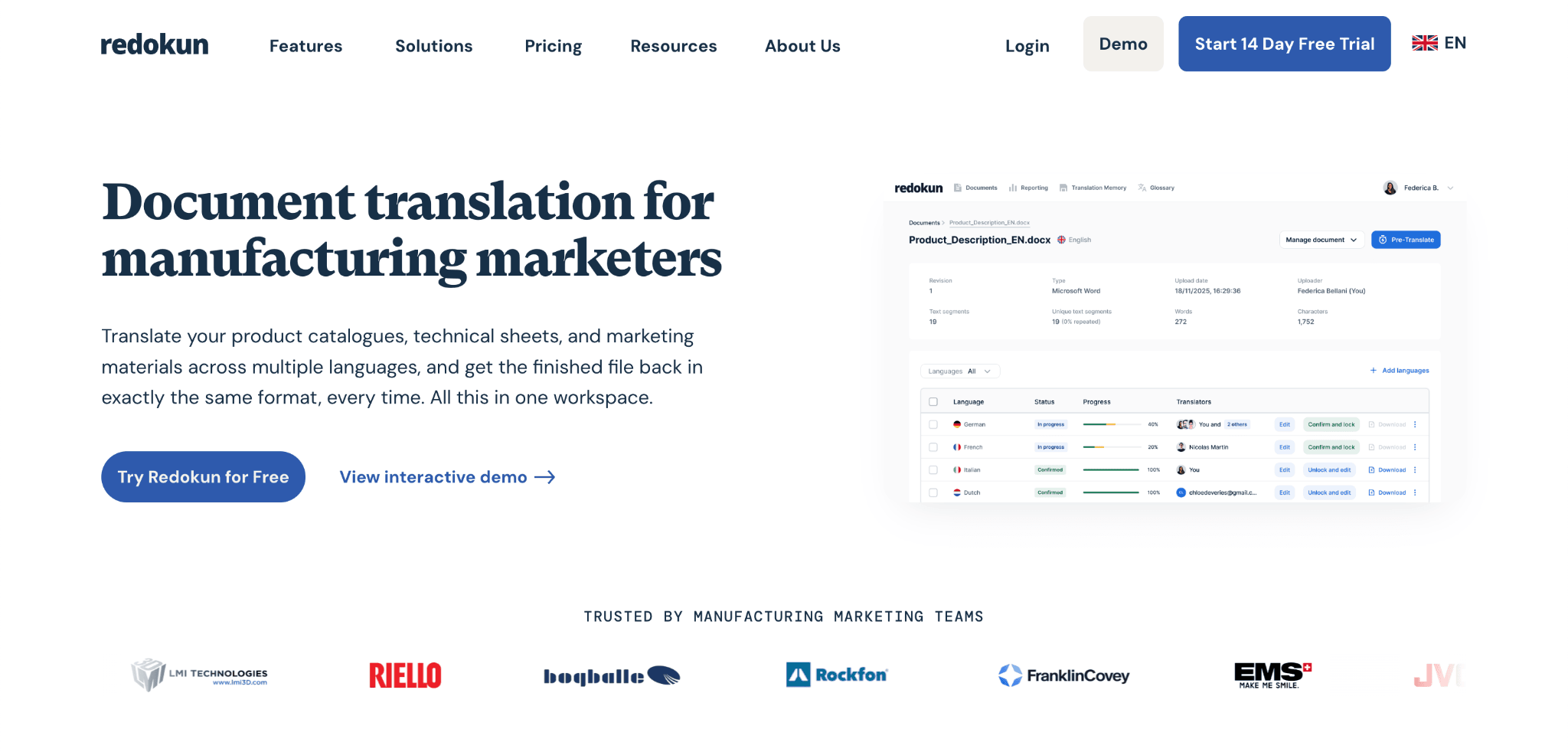
Redokun is a cloud-based translation platform built around document translation with full layout preservation. While most TMS platforms are optimized for software strings and UI files, Redokun is the go-to option for teams translating InDesign documents, PowerPoint decks, Word files, and PDFs that also need to export or work with XLIFF.
Redokun handles XLIFF translation through a browser-based editor:
- You upload a document in any supported format and Redokun converts it to XLIFF automatically
- You assign translators by entering their email address, and they are notified and given immediate access to translate the document
- Before translators begin, you can run pre-translation using translation memory from past approved projects or machine translation to fill in the blanks, then send only the remaining strings for human review
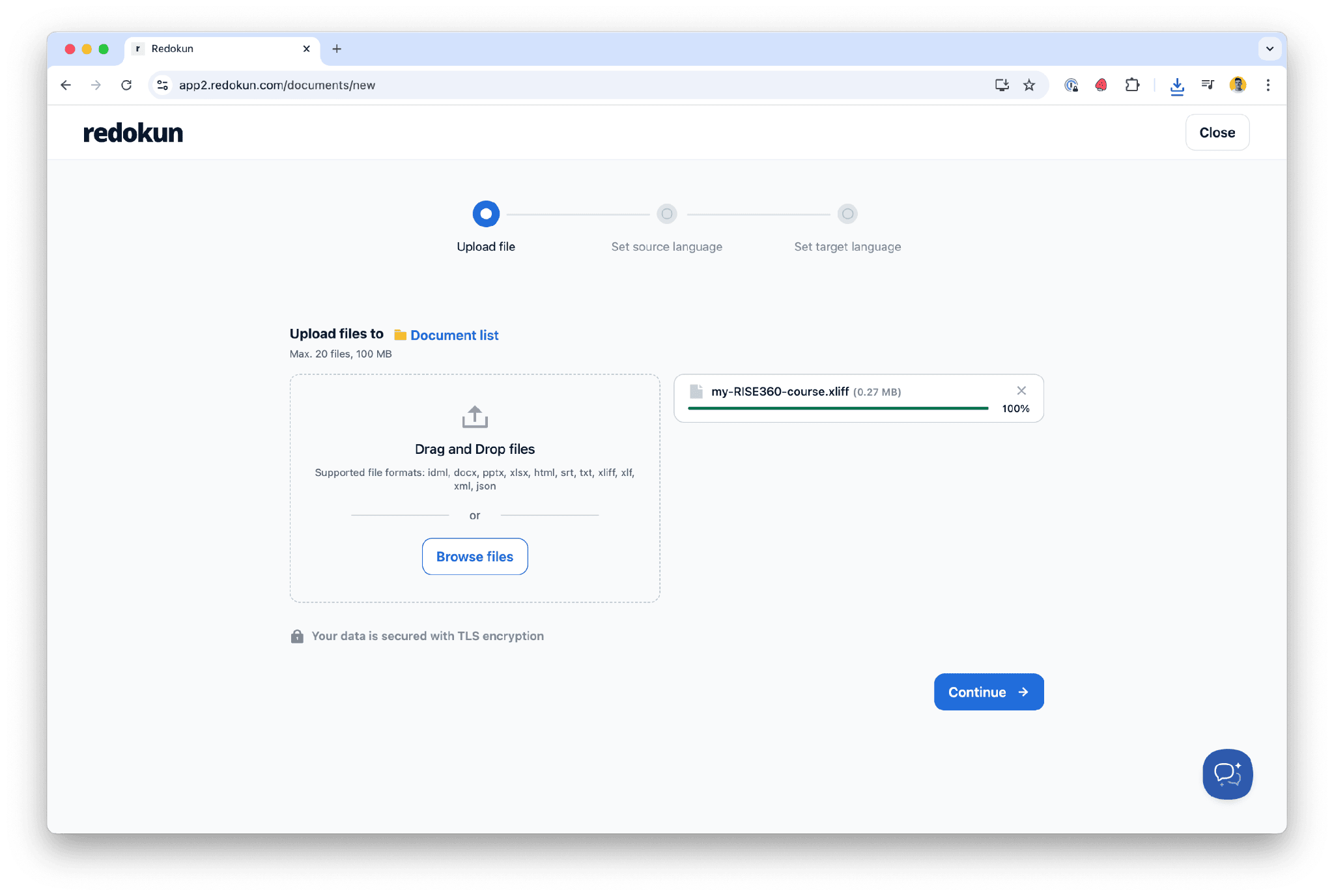
Where Redokun earns its place is the document-to-XLIFF pipeline. Whether you have created a brochure in InDesign or a PowerPoint presentation, you can export an XLIFF file for your translator without worrying about which software they use.
- Features: XLIFF export and translation from Word, InDesign, PowerPoint, Excel, PDF, HTML, JSON, and SRT; translation memory; machine translation (DeepL, Google Translate, OpenAI GPT); team collaboration with role-based access; pre-translation; revision workflow
- What makes it stand out: The only tool on this list that converts design and office documents into XLIFF automatically, making it the most practical option for marketing and content teams who work in InDesign or PowerPoint rather than code editors
- Pricing: Paid plans from $125/month for 600K words, scaling up to $650/month for unlimited words. Free trial available.
- Great fit for: Marketing, publishing, and content teams that need to translate designed documents at scale and want XLIFF as the interchange format between their internal team and external translation vendors
Website: Redokun