Drupal Translation Workflow: A Complete Guide
A Drupal site can be multilingual in two very different ways. You can translate content, like pages and blog posts, through Drupal’s Content Translation system. Or, for interface strings from modules and themes, you can translate gettext-based .po and .pot files.
This guide will walk you through the full Drupal translation workflow for custom modules and themes. You’ll learn:
- How string extraction works
- Where translation files belong
- How Drupal processes them
- When gettext editors like Poedit make the process easier
Drupal Content Translation vs Interface Translation
Drupal has more than two translation systems. But for most projects, the decision comes down to two: Content Translation and Interface Translation.
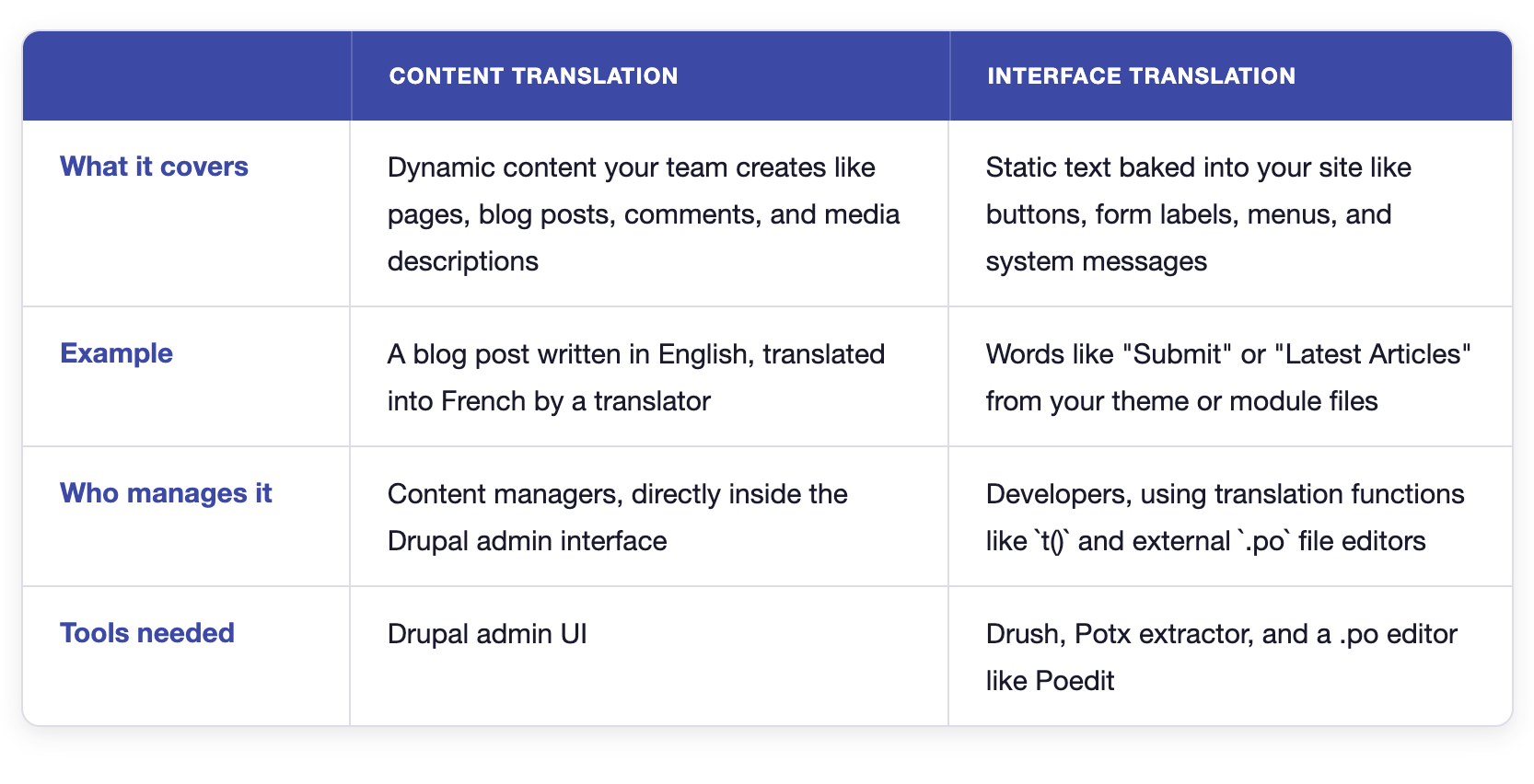
How to Translate Drupal Interface
Drupal does not translate custom interface text automatically. Developers first need to mark strings for translation. Drupal can then extract those strings into gettext .pot and .po files.
The workflow is simple once you see the full path. This section covers Drupal interface strings used in modules and themes. Let’s go step by step.
- Wrap your translatable strings in
t(). - Extract those strings into a master
.potfile. - Translate the text inside language-specific
.pofiles. - Import the completed
.pofiles back into Drupal. - Clear the cache to display the new translation.
Let’s walk through each step in detail.
Step 1: Wrap your translatable strings in t()
You must tell Drupal which strings to translate. You do that by wrapping them inside a translation function. If you do not, Drupal will never know it needs translation.
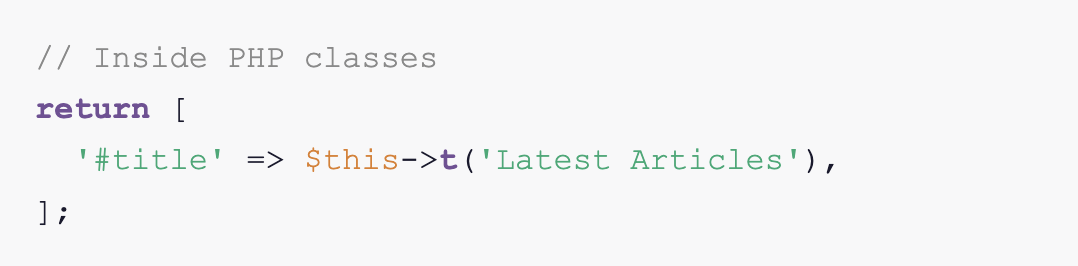
If you are working inside Twig templates, use the translation filter |t instead.

Make sure to not pass variables directly into t() functions; instead, use placeholders:
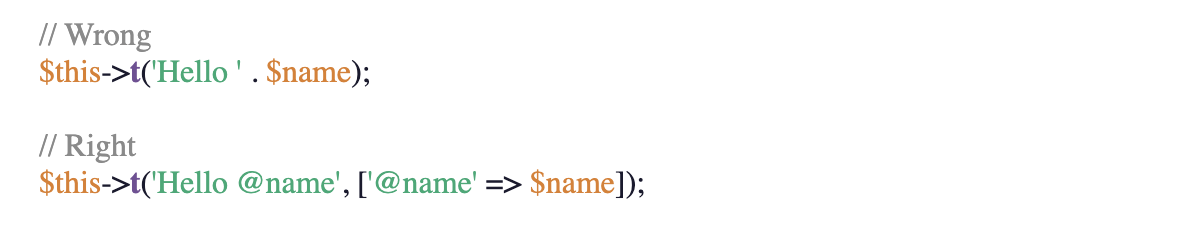
Concatenating variables inside translation strings breaks extraction. Drupal needs static strings to detect and translate text properly.
Step 2: Extract those strings into a master .pot file
You need to extract your strings into a .pot (Portable Object Template) file. Think of this as your blank master template. It lists every translatable string (msgid) in your code, but with the translation field (msgstr) empty.

Note: You only need to do this for custom modules and themes. Drupal core and contributed modules handle this automatically via localize.drupal.org.
You can extract strings in two ways after installing the Translation template extractor (Potx).
A: Via the UI
Go to Configuration > Regional and language > User interface translation and click the Extract tab. Select your custom module or theme, and download the generated .pot file.
B: Via Drush
Run the extraction straight from your terminal.
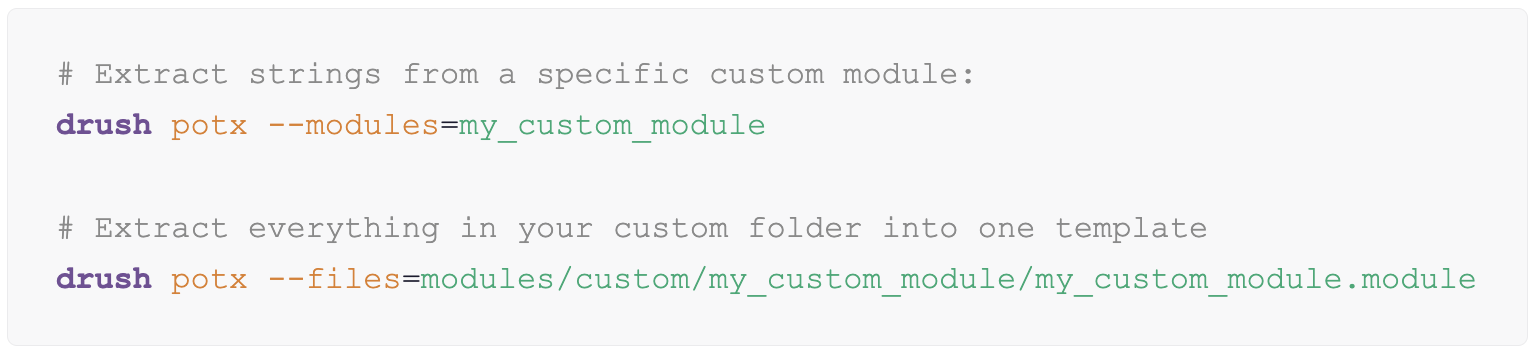
Step 3: Create and translate language-specific .po files
You now have a .pot template. Now you just need to create a language-specific Portable Object (.po) file from it, then add your translations.
A .po file is plain text. You can open them in any editor and type your translations directly.

However, this makes the translation task tedious. Instead, you can use a dedicated PO file editor like Poedit, which gives you a simple two-column layout. You see the original strings on the left and the translations on the right.
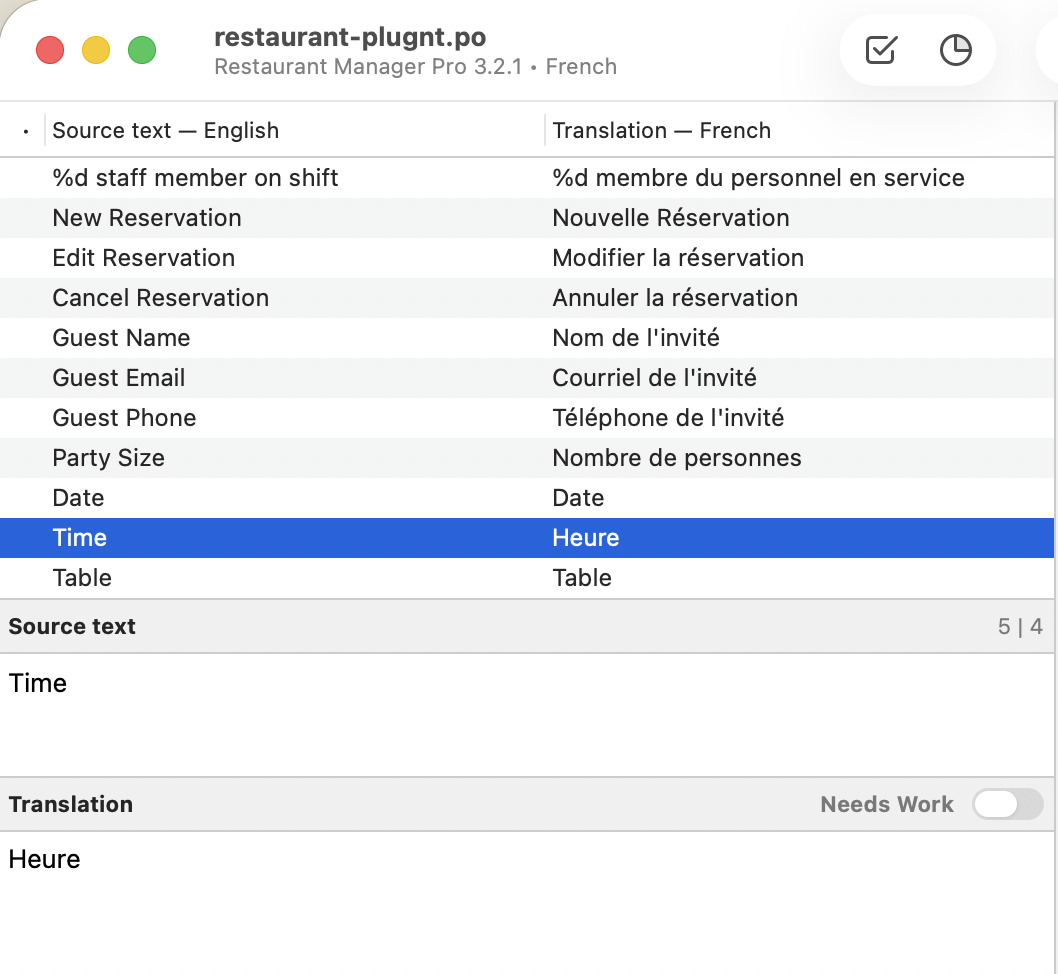
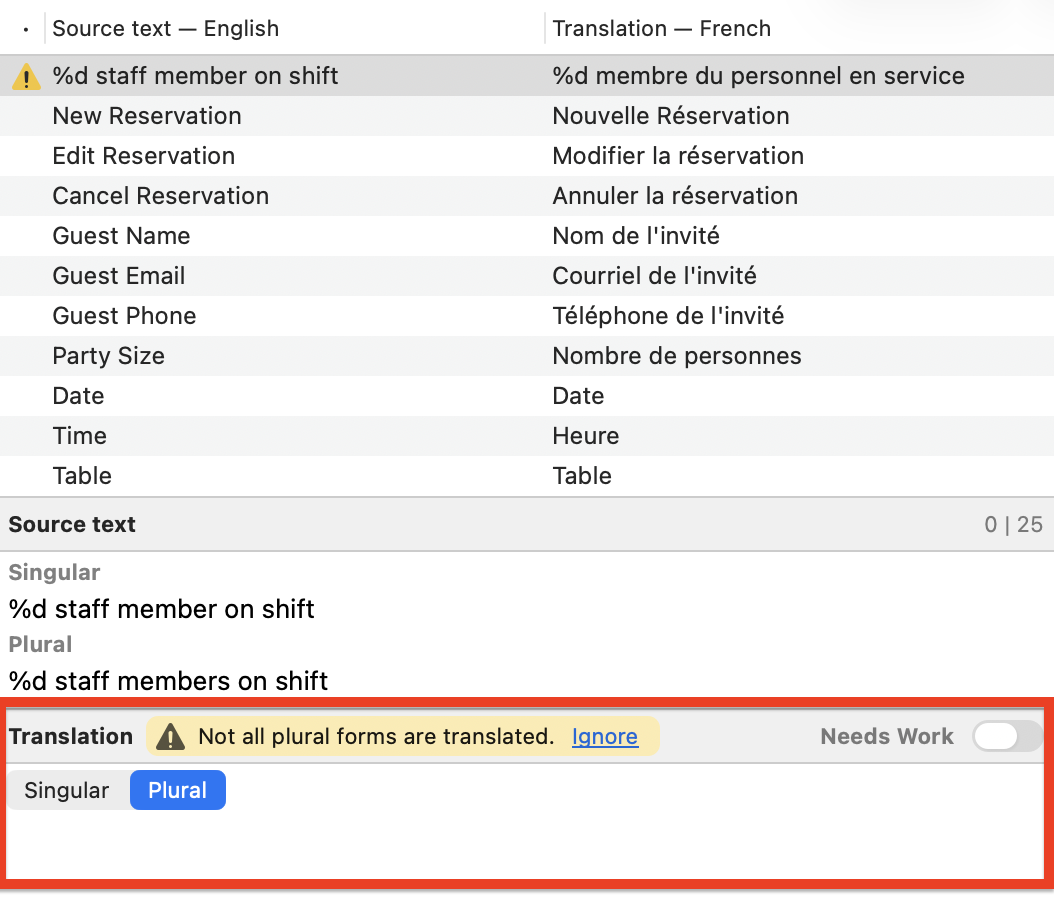
It handles the .po file syntax for you, which makes it much harder to accidentally break the file. When a string has plural forms, Poedit splits it into separate Singular and Plural fields automatically. If a plural form is missing, it flags the string with a warning.
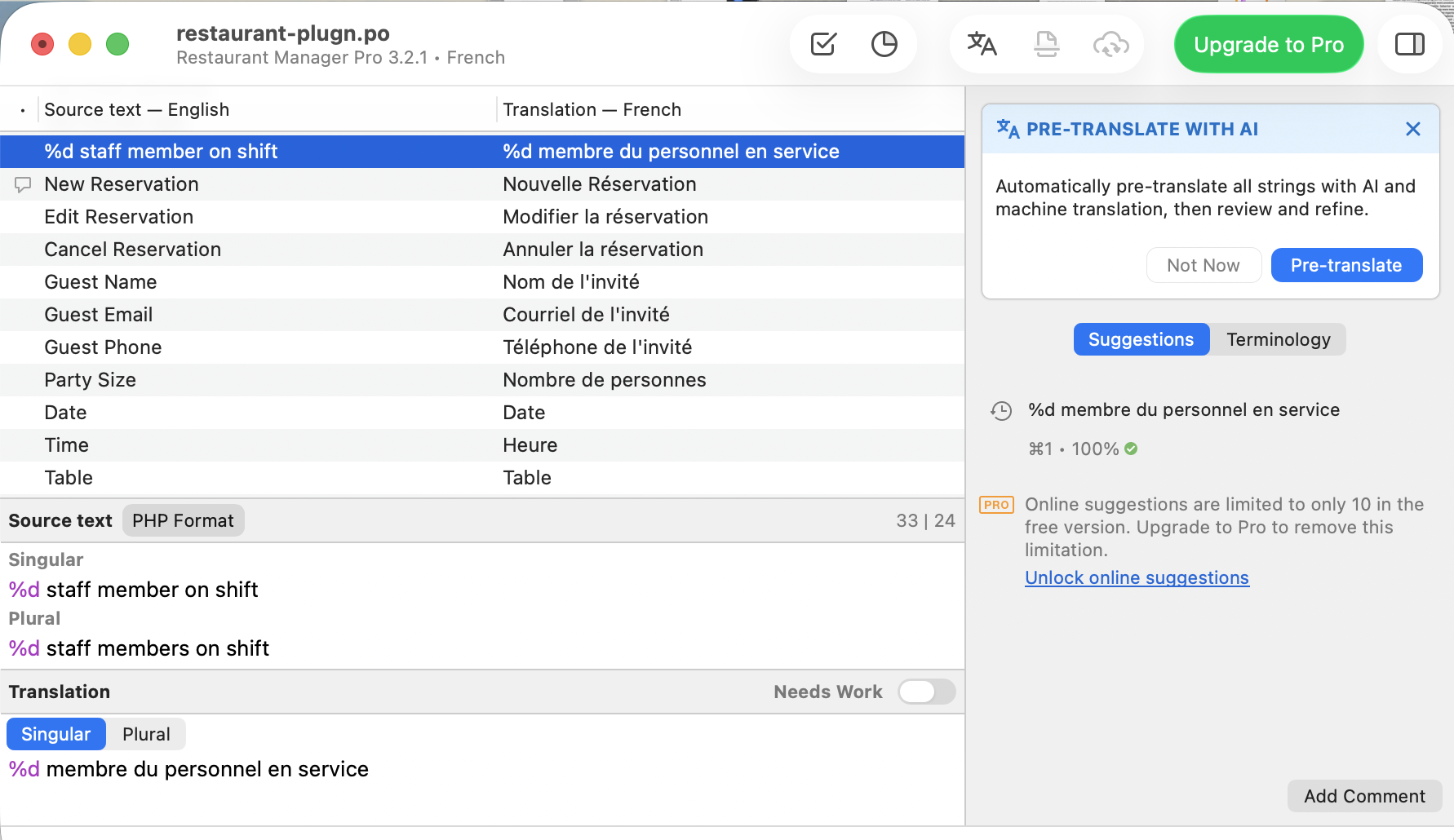
Poedit also tracks placeholders like %d and highlights them in purple across both the source and translation fields. This makes it easy to spot any mismatches.
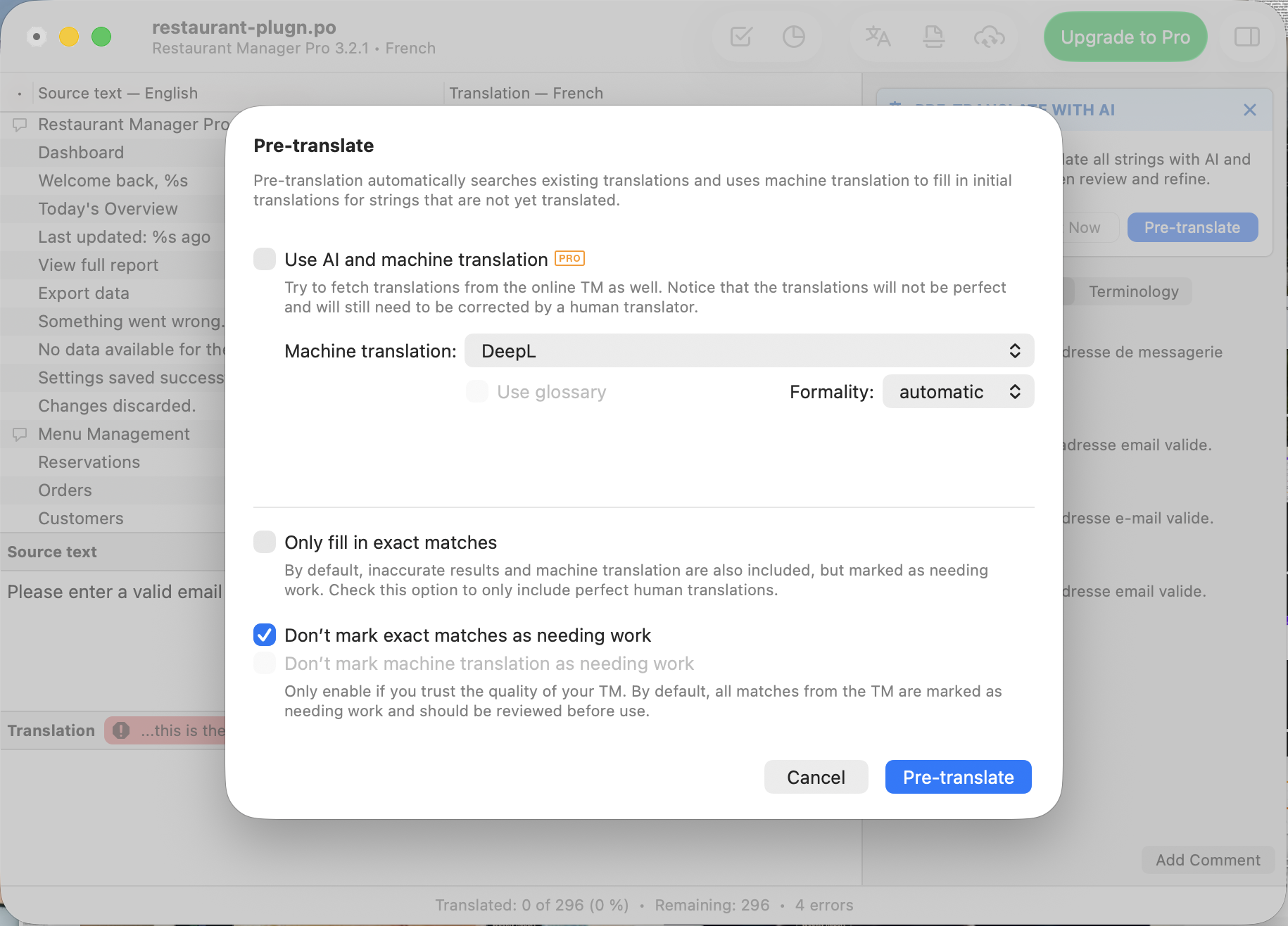
The built-in pre-translation feature also searches your existing translation memory first, then uses machine translation to fill in anything that’s left. This saves a lot of time in modules with repeated UI labels and messages.
A text editor is fine for a quick one-time fix. But if you plan to maintain translations across releases, a dedicated editor like Poedit prevents mistakes and speeds up the workflow.
Learn more about Poedit here on the Poedit website. Download the tool here, and if you have any questions, you can consult the Poedit Documentation.
Step 4: Import the completed .po files back into Drupal
A translated .po file does nothing until Drupal knows about it. You can import via the admin UI or via Drush.
Via admin UI
Go to Configuration > Regional and language > User interface translation > Import. Upload your .po file, choose your target language, and click Import.
Via Drush

This imports the translations from the .po file into Drupal.
Step 5: Rebuild the cache if needed
If imported translations do not appear immediately, run a full cache rebuild.

Or go to Configuration -> Development -> Performance and click Clear all caches.
Always validate your .po files before importing them. You need to do this if you get files from external translators or community modules.
Poedit runs syntax checks and flags format errors. If you do not use Poedit, you can run a manual check via the terminal:

Make sure to fix any errors it reports before you import.
Types of Drupal Translation Tools
Drupal uses gettext files, which means your translation workflow is not locked to any single tool. You pick based on your team size, budget, and how much complexity you want to manage.
Most projects fall into one of these categories:
Desktop PO Editors
These tools focus on the file itself. You open a .po file, translate the strings, and save. That’s the whole workflow. They are ideal for developers, translators, and agencies.
The best example of this type is Poedit.
Poedit is the best-known example in this category and is widely used in gettext-based workflows like Drupal and WordPress. Poedit keeps things pretty simple:
- You open a PO file
- You see the source string on one side and type your translation on the other, with placeholders like
%sand%dclearly marked
With Poedit Pro you get advanced pre-translation, which can use translation memory and supported machine translation services to cut down repetitive work on large PO batches.
- Features:
.po/.pot/.moediting, translation memory, advanced pre-translation, placeholder checks, find and replace - What makes it stand out: Offline-first, no account required, native app performance, and the simplest possible workflow for gettext files with two decades of refinement behind it
- Pricing: Free version available; Pro is a one-time purchase and Pro+ is an annual subscription
- Great fit for: Solo developers, WordPress translators, and anyone working with gettext-based projects who wants a no-fuss local PO editor without a SaaS subscription
Poedit is the most widely used desktop translation editor available for Windows, Mac, and Linux. Its tight integration with the world’s most popular CMS, WordPress, has made it nearly ubiquitous among web developers and translators.
SaaS and TMS Platforms
These tools operate above the file level. They are web-based platforms that move your translation workflow to the cloud.
Pros:
- Built-in collaboration tools for remote teams.
- Reviews, approvals and handoffs are built into the platform.
Cons:
- Most of these platforms run on monthly subscriptions.
- Configuring them for a Drupal site takes time and effort upfront.
Examples: Lokalise, Crowdin, Transifex.
Developer and Self-hosted Platforms
Some teams want full control. They host the translation system themselves. These platforms give you a centralized translation server that you host and control.
Pros:
- You own your data because you host the software.
- Integrate well with your CI/CD pipelines.
Cons:
- Your team must spend time maintaining the server infrastructure.
- Interface often feels too technical for non-developer translators.
Example: Weblate
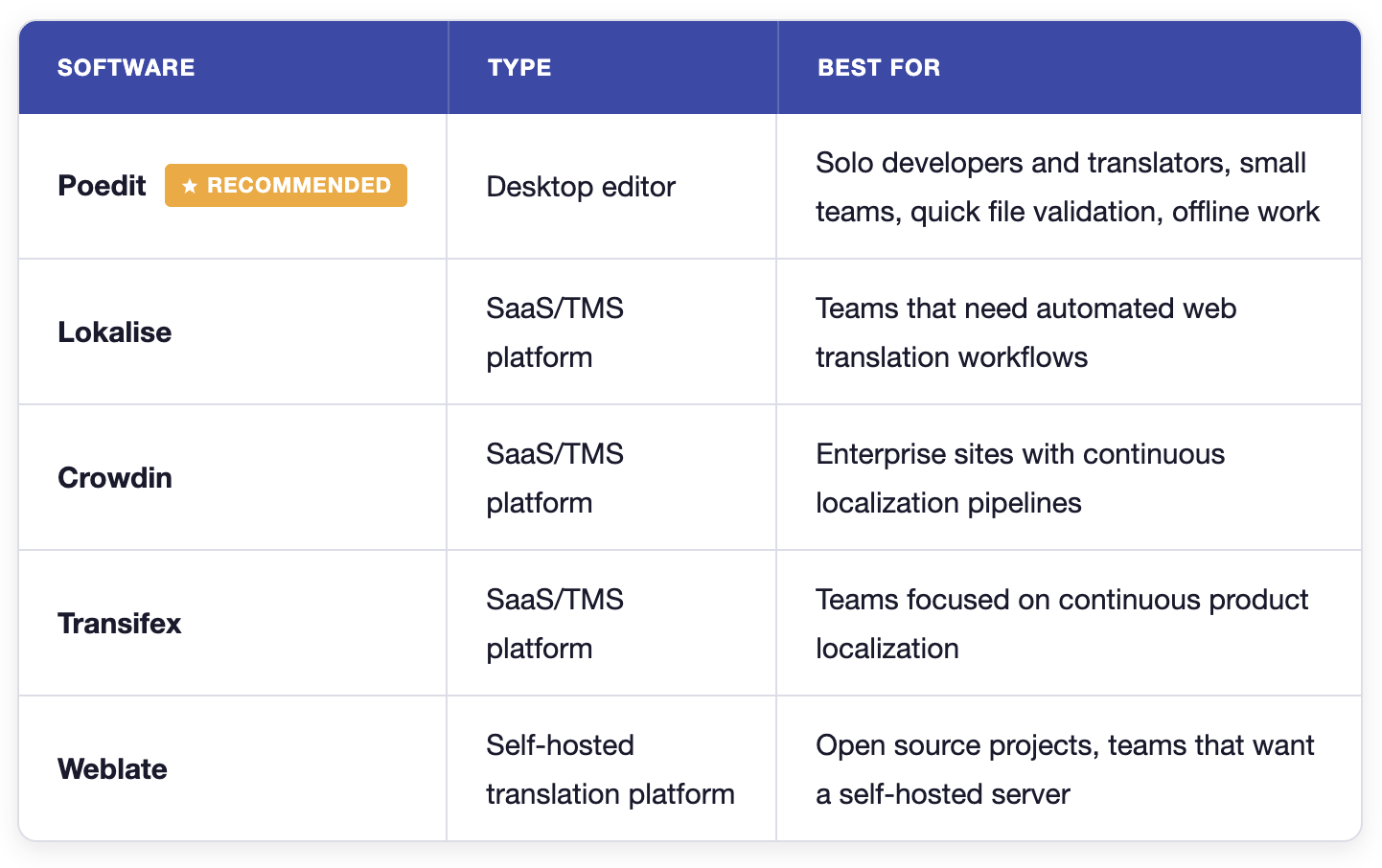
- For most Drupal developers, a desktop editor like Poedit is the best place to start. It checks your
.pofile syntax and warns you about broken placeholders before import. The free version is enough for most custom module and theme work. - SaaS platforms make more sense once your workflow grows. They help when several translators work on the same project, or when translations need reviews and regular updates across many languages. At that point, the collaboration features save time and reduce mistakes.
- Self-hosted platforms fit teams with stricter requirements. Some companies cannot send translation data to external services. Others want translations connected directly to their CI pipeline and internal tools.
Conclusion
The Drupal interface translation workflow makes more sense once you see it as a file pipeline. You mark strings with translation functions, extract, translate, and import them back into Drupal. Each step depends on the one before it. Skip one, and Drupal goes quiet without telling you why.
For most custom module and theme work, that pipeline runs fine with a desktop editor like Poedit. It handles the file format, catches errors before they reach your database, and keeps the workflow simple.
When your project grows with more languages, more translators, and frequent release cycles, that’s when SaaS or self-hosted tools start earning their cost. But most Drupal projects never get there, and that’s fine.