10 Best PO Translation Tools For 2026
PO is the longest-running standard in software localization, born out of the GNU gettext project in the 1990s and still the default format for a huge swath of open-source software, WordPress themes and plugins translations, Drupal translations, Django, Python applications, and Linux desktop environments.
If you’re localizing WordPress sites, Python or PHP applications, GNOME or KDE software, or any project built on the gettext ecosystem, PO is the format you’ll be working in.
In this article, we’ll share with you:
- The basic workflow to translate PO files effectively
- A list of 10 PO translation tools
- When to use each tool and why
Understanding PO Files
A PO file pairs each source string with its translation, plus optional metadata that gives translators context.
PO is plain text in a human-readable format, which means a translator can technically edit it in any text editor. Dedicated PO editors extract the strings out of the syntax so that translators can work without having to worry about the technical complexities.
Here’s how PO files are structured:
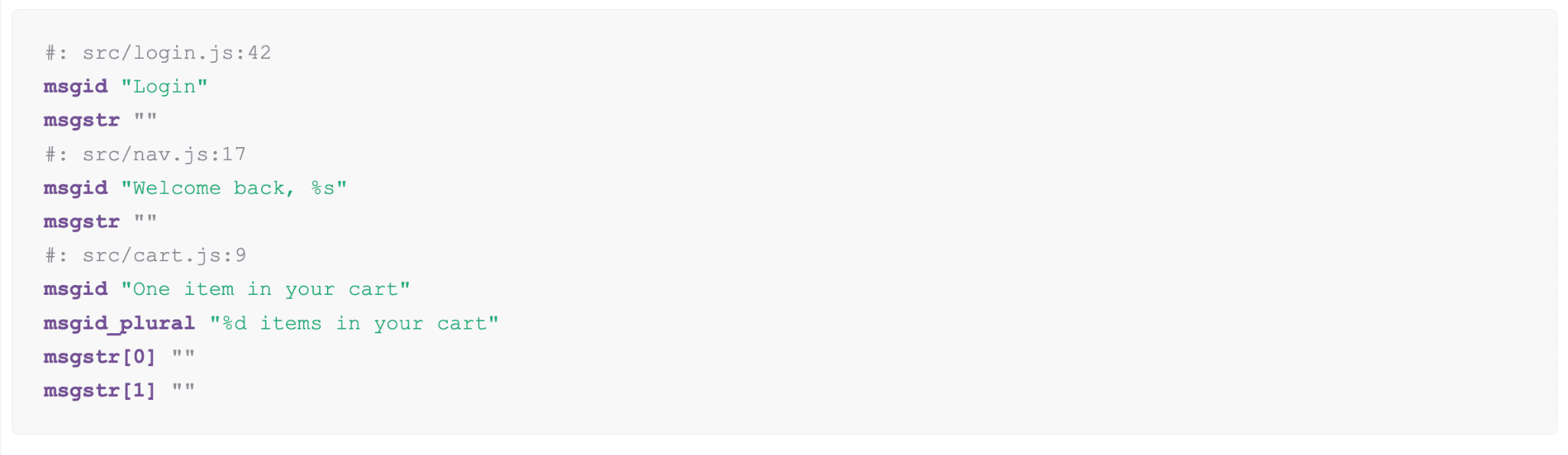
In any PO file, you should see:
msgidis the original source string, typically in English, and acts as the translation keymsgstris the translated string, left empty until a translator fills it inmsgid_pluralis the plural form of the source string, used when the string can appear in singular or pluralmsgstr[0],msgstr[1]are indexed plural translations, where each index maps to a plural form in the target language
A basic PO translation workflow looks like this:
- Developer runs
xgettextto scan the codebase and extract strings →.pofile generated .pofile gets sent to a translator, opened in a PO editor such as Poedit, or uploaded to a TMS such as Lokalise or Crowdin- Translators fill in the
msgstrfields, or a tool fills them in programmatically with the help of AI or machine translation - Completed
.pofile is compiled into a binary.mofile usingmsgfmt - The app loads the
.mofile at runtime and serves translated strings to users
Our Recommendations Of The Best PO Translation Tools
1. Poedit
Poedit is the most widely used desktop editor for translating localization files, and PO and POT files are its native format. It runs on Windows, Mac, and Linux, and has been the go-to tool for translators and developers for over two decades.
Just download Poedit, open your file, and Poedit handles the file syntax so you can focus on translating.
Poedit’s advanced pre-translation can combine translation memory with supported machine translation services to process untranslated entries quickly.
Step 1: Open the POT or PO file
Start by opening the translation file inside Poedit. If you have source code but no POT file yet, Poedit can help extract the strings. If you have a POT file, Poedit can create a separate PO file for each language you want to translate into.
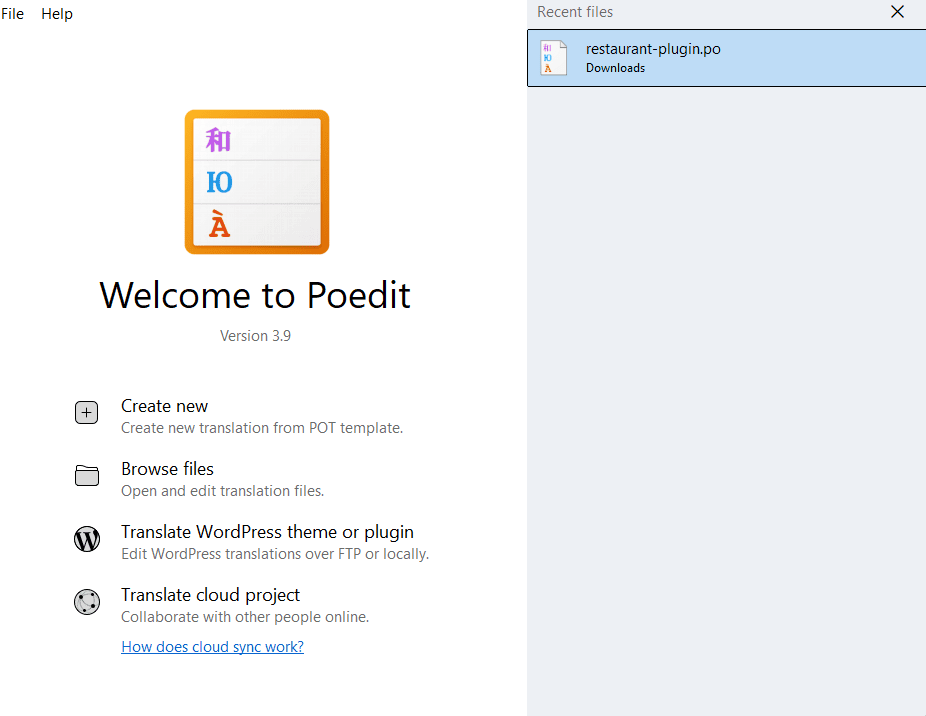
Since I already have a PO file called “restaurant-plugin.po”, let’s open it:
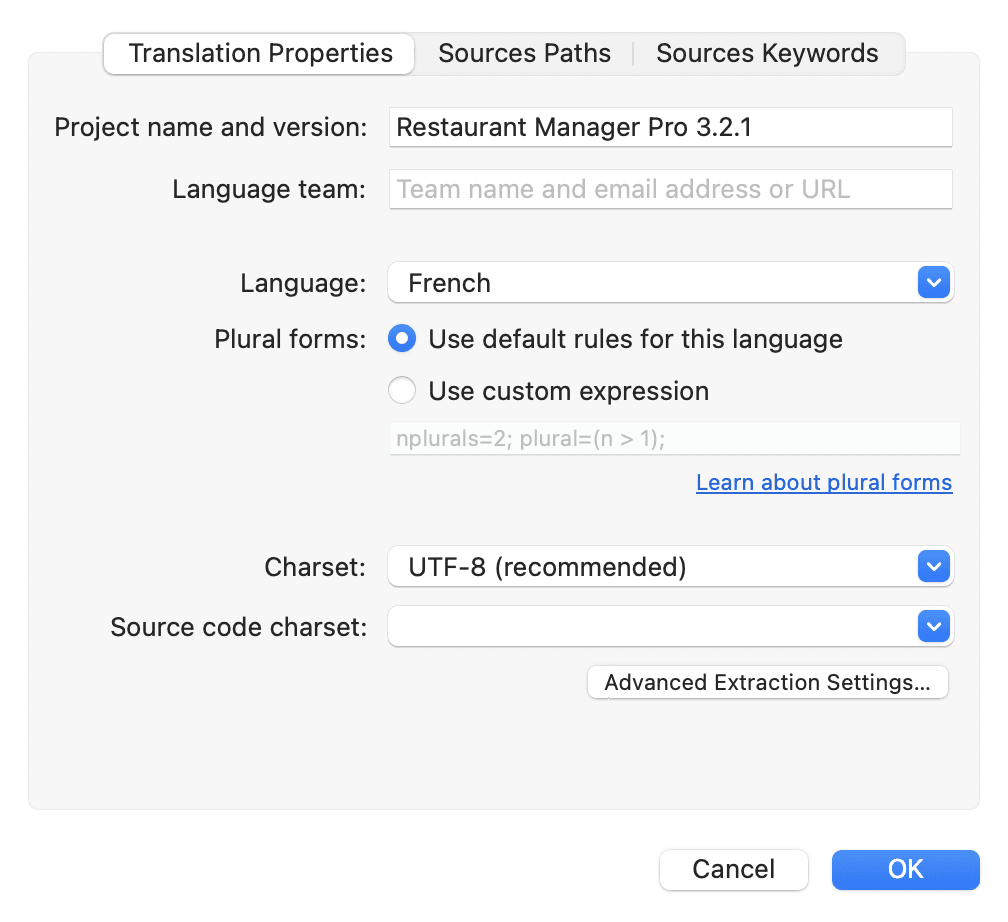
Choose your language and Poedit applies all of the plural rules for you:
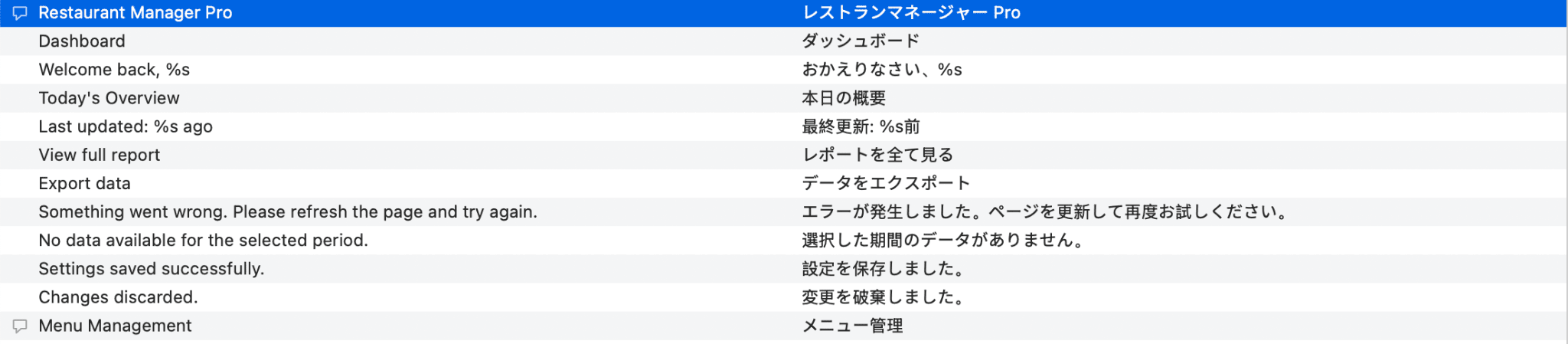
Step 2: Translate string by string
Poedit shows Source text on one side and Translation field on the other. You only have to start translating without worrying about the complex syntax:
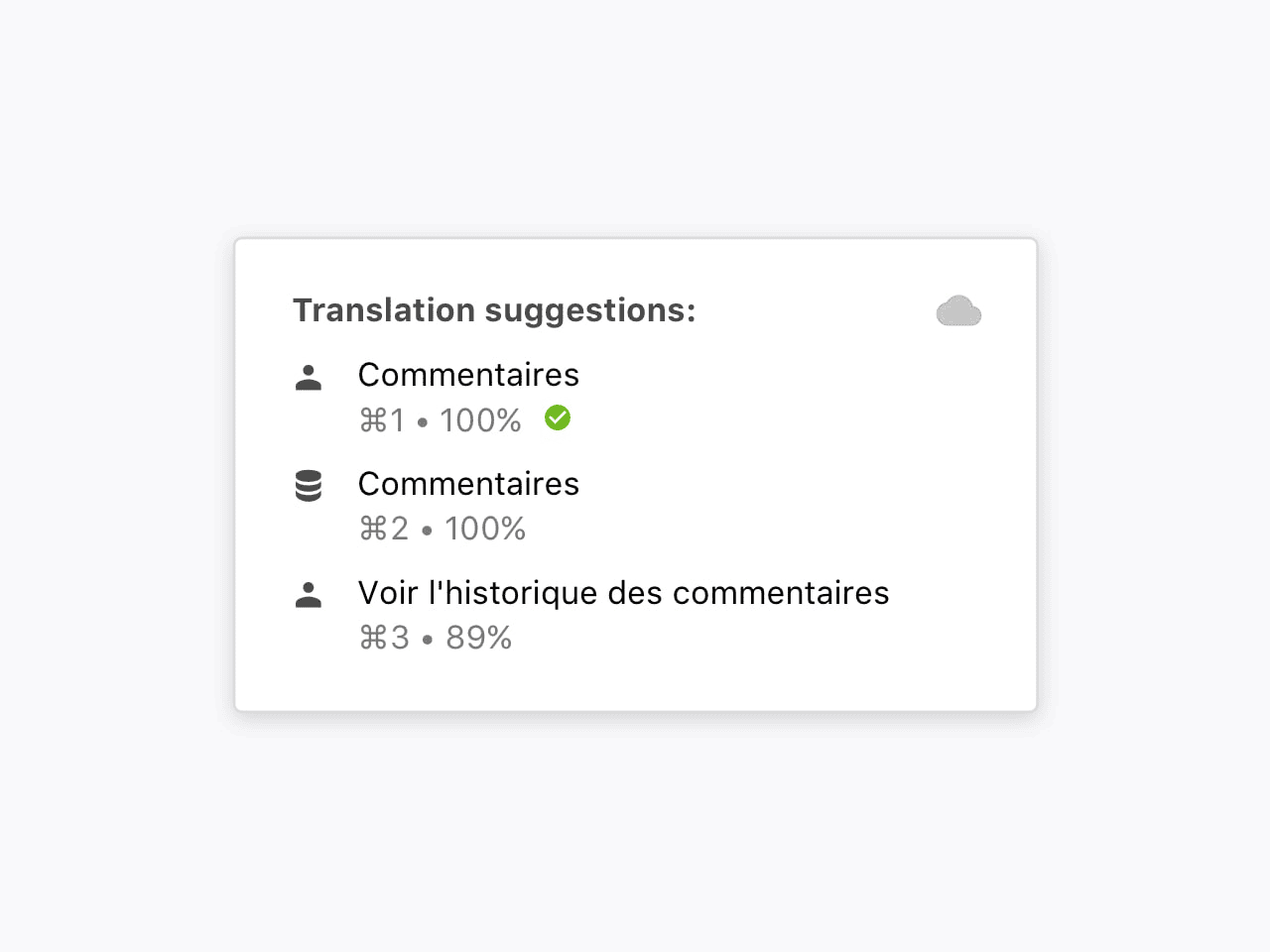
Step 3: Use translation memory and advanced pre-translation
Of course, Poedit comes with translation memory. Every string you finalize in Poedit gets stored in a local translation memory so that the next time a matching string appears, Poedit surfaces it as a suggestion automatically.
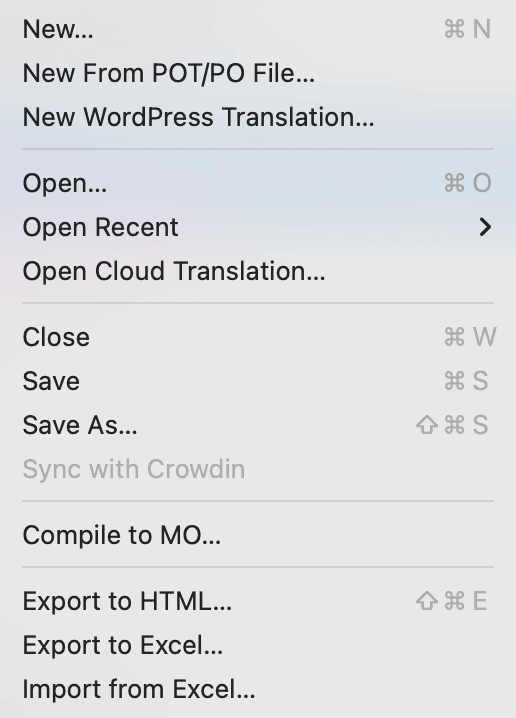
Step 4: Save the file
After translating the strings, save the file normally through the editor. Poedit also generates the compiled MO file automatically when saving a PO file.
Poedit’s advanced pre-translation can process entire files using translation memory and supported machine translation services. Poedit Pro can also use community-contributed translation memory and share yours to improve future translations.
Poedit is the most widely used desktop translation editor available for Windows, Mac, and Linux. Its tight integration with WordPress, the world’s most popular CMS, has made it nearly ubiquitous among web developers and translators.
2. Localazy
Localazy is a highly automated translation management platform that strives to make the localization process efficient and enjoyable. It is also very developer-friendly and has various features to help you manage your translations effortlessly, such as automated workflows or rich context banks with screenshots and glossaries to ensure your contributors have all they need for precise translation.
To translate PO files with Localazy:
- You integrate Localazy with your project via CLI or API. It automatically pulls PO strings on each build without manual upload and download cycles. Or, you can just upload the file to Localazy directly.
- Translators work in a clean web editor string by string, with machine translation suggestions available inline and placeholder protection active by default, so
%s,%d, and named variables stay intact throughout.
Localazy supports over 80 languages, integrates smoothly with CI/CD pipelines, and includes translation memory, machine translation, and community translation support in a single platform.
Poedit works seamlessly with Localazy too. In fact, one of the standout features of Poedit 3.4 is the addition of support for syncing with the Localazy localization platform directly from the app.
Poedit 3.4 offers two-way integration with Localazy, enabling you to switch between desktop editing in Poedit and web-based translation in Localazy effortlessly. This integration ensures that your work remains synchronized, whether you’re online or offline. You can even work on translations offline in Poedit and then upload your changes in bulk to Localazy when you’re back online, simplifying your workflow and enhancing efficiency.
- Features: PO and POT file support, translation memory, machine translation (DeepL, Amazon, Google), CLI and API, CI/CD integration, glossary, community and crowdsourced translation, role-based permissions, free online PO editor
- What makes it stand out: One of the most affordable TMS platforms on the market with a genuinely useful free tier, making it the most accessible entry point for developers who want automated PO sync without a Lokalise or Crowdin budget
- Pricing: Free plan available with all core localization features included. Paid plans from $30/month
- Great fit for: Indie developers, WordPress plugin authors, and small teams that want automated PO file sync with their build pipeline and a clean translation UI without paying enterprise TMS pricing
Website: Localazy
3. Phrase (Strings)
Phrase Strings is purpose-built for code-driven localization, and its parent platform (formerly Memsource) brings serious CAT-tool depth for teams that also need to translate marketing content.
For PO file localization, Phrase supports both PO and POT files, including plural forms and descriptions.
- Features: PO and POT, XLIFF, Apple .strings, GitHub/GitLab/Bitbucket integration, machine translation (DeepL, Google, Microsoft, Amazon), branching, CLI, in-context editor, advanced QA checks
- What makes it stand out: Enterprise-grade QA and reviewer workflows; bridges developer JSON and traditional CAT-tool TMX/TBX assets
- Pricing: Phrase Strings from ~$27/user/month (Starter); enterprise tiers higher
- Great fit for: Mid-to-large product teams with compliance or review requirements, hybrid software + marketing localization
Website: Phrase
4. memoQ
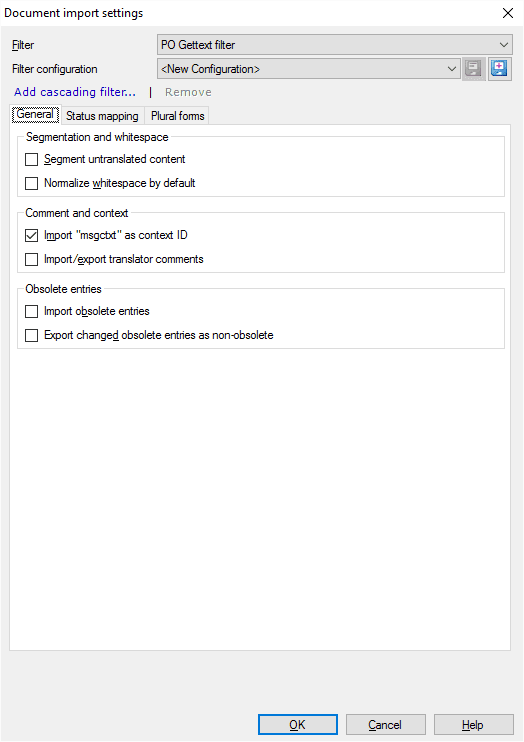
memoQ is one of the most widely used professional CAT tools for translation agencies and enterprise localization teams. While it supports virtually every major file format, its PO file handling is particularly strong, making it a reliable choice for teams working with WordPress plugins, Python apps, or any gettext-based project at scale.
memoQ’s PO workflow is built around the translation editor:
- You import a PO file and memoQ segments it automatically, presenting each
msgidas a row in the editor with source on the left and target on the right - Placeholders like
%s,%d, and named variables like%(name)sare protected by default, so translators cannot accidentally delete or corrupt them, which is a common source of broken PO exports in less structured tools
memoQ also has a combination of translation memory, termbase, and LiveDocs running simultaneously in the background. As you translate, memoQ surfaces fuzzy matches from past projects.
- Features: PO and POT file support, translation memory, termbase, LiveDocs, QA checks, placeholder protection, machine translation integrations (DeepL, Google, Microsoft), project packages, team server for collaborative translation
- What makes it stand out: Enterprise-grade TM and QA in a desktop app, with a server option for teams that need concurrent access to shared resources across multiple PO projects
- Pricing: memoQ translator pro from $200/year; team server pricing on request
- Great fit for: Translation agencies, in-house localization teams, and enterprise projects where PO files are large, repetitive, and require consistent terminology enforcement across multiple translators
Download: memoQ Download
5. SDL Trados Studio
SDL Trados Studio is the longest-standing name in professional translation software, and the de facto standard tool at large language service providers worldwide. It supports a wide range of file formats including PO and POT, and for teams already embedded in the Trados ecosystem it remains the most interoperable option across the supply chain.
SDL Trados handles PO translation through its standard editor view:
- You go to File Types in Project Settings
- Select Gettext PO to configure how the file opens
- Trados segments the file into translation units, presenting each
msgidandmsgstrpair side by side in the Editor view - Placeholders like
%s,%d, and%(name)sare locked and visually distinct, with segment status mapped so the right segments are locked, editable, or pre-confirmed on import
MultiTerm is Trados’ built-in terminology management system. It runs alongside the translation editor and enforces approved translations for product names, UI labels, and brand terms across every msgstr field.
- Features: PO and POT file support, translation memory, MultiTerm termbase, AutoSuggest, QA Checker, machine translation integrations (DeepL, Google, Microsoft), team server via Trados GroupShare, project packaging
- What makes it stand out: The widest industry adoption of any CAT tool, meaning PO projects packaged in Trados are universally accepted by agencies and freelancers without compatibility friction
- Pricing: Trados Studio Freelance from $845 one-time; team and enterprise pricing on request
- Great fit for: Large LSPs, enterprise in-house teams, and any organization where PO files move between multiple vendors and tool compatibility across the supply chain is non-negotiable
Download: SDL Trados Studio Download
6. Lingo.dev

Lingo.dev (formerly Replexica) is a CLI-first localization engine built for modern JavaScript frameworks.
It works entirely from your terminal. You run the CLI against your PO files and it writes the translated files back out.
For PO translation specifically, Lingo supports GNU gettext files.
- Features: GNU gettext PO files, CLI-native workflow, AI translation with code context, GitHub Actions integration, translation memory
- What makes it stand out: You can run Lingo in CI and translated files are committed automatically
- Pricing: Free tier available; paid plans from ~$19/month
Website: Lingo.dev
7. Lokalise
Lokalise is a cloud-based translation management system built for software and SaaS teams that need to move fast on localization. Unlike desktop CAT tools, Lokalise is designed around the developer workflow, with Git sync, API access, and CI/CD integration as first-class features rather than add-ons.
Lokalise handles PO translation through a browser-based editor:
- You upload a PO or POT file directly or pull it in via GitHub, GitLab, or Bitbucket sync, and Lokalise parses every
msgidinto its key-value editor - Translators fill in
msgstrfields string by string in a clean web UI, with TM suggestions, machine translation, and screenshot context available inline
Lokalise has a collaboration layer so Project managers can assign languages, set up review workflows, leave comments on individual strings, and track progress across the entire PO file from a single dashboard without exchanging files over email.
- Features: PO and POT upload and export, translation memory, machine translation (DeepL, Google, OpenAI), Git sync, screenshot context, in-context editor, role-based access, QA checks, REST API, Figma plugin
- What makes it stand out: Translated PO files can be pushed back to the repo automatically via Git sync, with no manual export and re-upload cycles
- Pricing: Free trial available. Paid plans from $120/month billed annually
- Great fit for: SaaS and web app teams using gettext-based localization that want PO files moving in and out of their repo automatically
Website: Lokalise
8. Crowdin
Crowdin is a cloud-based localization platform built around developer and open-source workflows, and one of the most widely used TMS platforms for software teams managing PO file localization at scale.
It sits in the same category as Lokalise but leans more heavily into community translation and open-source project support. Open-source projects can invite volunteer translators directly to the Crowdin platform, while commercial teams can gate access behind approval workflows.
Please read more about PO file translation with Crowdin here.
- Features: PO and POT file support, translation memory, machine translation (DeepL, Google, Microsoft, OpenAI), Git integrations, in-context editor, screenshot localization, QA checks, glossary, crowdsourced translation support, REST API, webhooks, iOS and Android SDK integrations
- What makes it stand out: The most mature open-source and community translation support of any TMS on this list, combined with a deep integration library that covers practically every repo, CMS, and design tool a software team might already be using
- Pricing: Free plan available for open-source projects. Paid plans from $50/month billed annually
- Great fit for: Open-source projects needing community translation support, and software teams that want a broad integration ecosystem and strong Git sync without paying Lokalise or Phrase pricing
Website: Crowdin
9. Smartcat
Smartcat is a browser-based translation platform that combines an AI-powered editor, a freelancer marketplace, and a TMS in one place. Its Software Localization Agent handles PO file parsing, translation, and export without any manual formatting required.
Here’s how you do it:
- You drag and drop a PO or POT file directly into the platform, select your source and target languages, and the Software Localization Agent generates context-aware translations automatically, with
msgstrfields filled in whilemsgidvalues stay untouched - You then review and edit strings in Smartcat’s editor before exporting the completed PO file, with the entire workflow contained in one tab
Smartcat supports over 280 languages and 80+ file formats, and 25% of the Fortune 500 use it as their localization platform of choice.
- Features: PO and POT upload and export, AI-powered Software Localization Agent, translation memory, 280+ languages, 80+ file format support, real-time collaboration, freelancer marketplace, revision management, custom workflows
- What makes it stand out: The only tool on this list that combines an AI translation agent, a built-in reviewer workflow, and access to a marketplace of professional translators in a single browser-based platform with no installation required
- Pricing: Free trial available. Paid plans from $99/month
- Great fit for: Enterprise and content teams that need scalable PO file translation without a desktop CAT setup, and want the option to loop in human translators from the same platform
Website: Smartcat
10. Transifex
Transifex is a long-standing cloud TMS with deep, well-documented support for the gettext ecosystem. Transifex handles PO translation through a browser-based editor backed by a strict parser:
- You upload a PO or POT file and Transifex validates it for syntax errors automatically
- You assign translators or order them through Transifex’s network, and they translate in a web editor
- Before translators begin, you can run pre-translation using translation memory from past projects or machine translation, then send only the remaining strings for human review
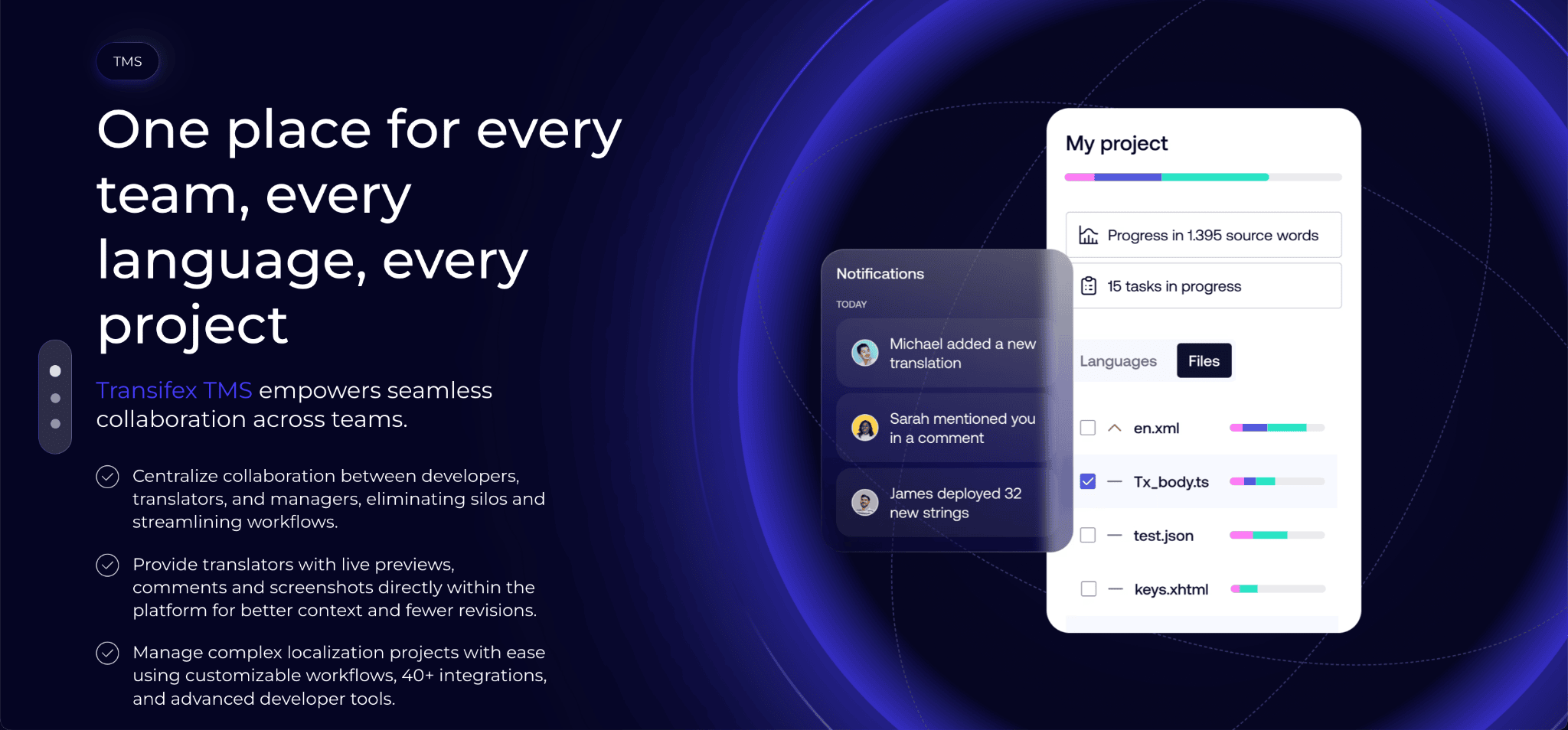
- Features: PO and POT support with full gettext compliance (developer comments, msgctxt, occurrences, fuzzy flags, plural forms for all CLDR languages), translation memory, machine translation, GitHub/GitLab/Bitbucket integration, CLI, Transifex Native for OTA updates, in-context editor, glossaries, automatic placeholder detection (
%s,%d,%(name)s,%1$s) - What makes it stand out: The most rigorous PO parser of any major TMS, with explicit handling of plural rules, msgctxt disambiguation, and fuzzy entries that other platforms quietly get wrong; also supports converting PO to XLIFF for translator handoff on Growth plans and up
- Pricing: Free tier for open-source projects; paid plans from ~$140/month (Starter), scaling with words and feature tier
- Great fit for: Open-source maintainers, Django/Python and WordPress teams shipping internationally, and any project where PO plural-form correctness across many languages is a hard requirement
Website: Transifex