10 Best JSON Translation Tools
JSON is the most popular format for storing translations in many different types of projects. It works great for web and mobile apps and games localization. Storing translations in JSON files makes it much easier to work with and to manage translations from a project building and management perspective.
If you’re localizing React/Vue apps, Node.js backends, native iOS/Android apps, or passing content through translation management systems, you’ll commonly encounter it.
In this article, we’ll share with you:
- The basic workflow to translate JSON files effectively
- A list of 10 JSON translation tools
- When to use each tool and why
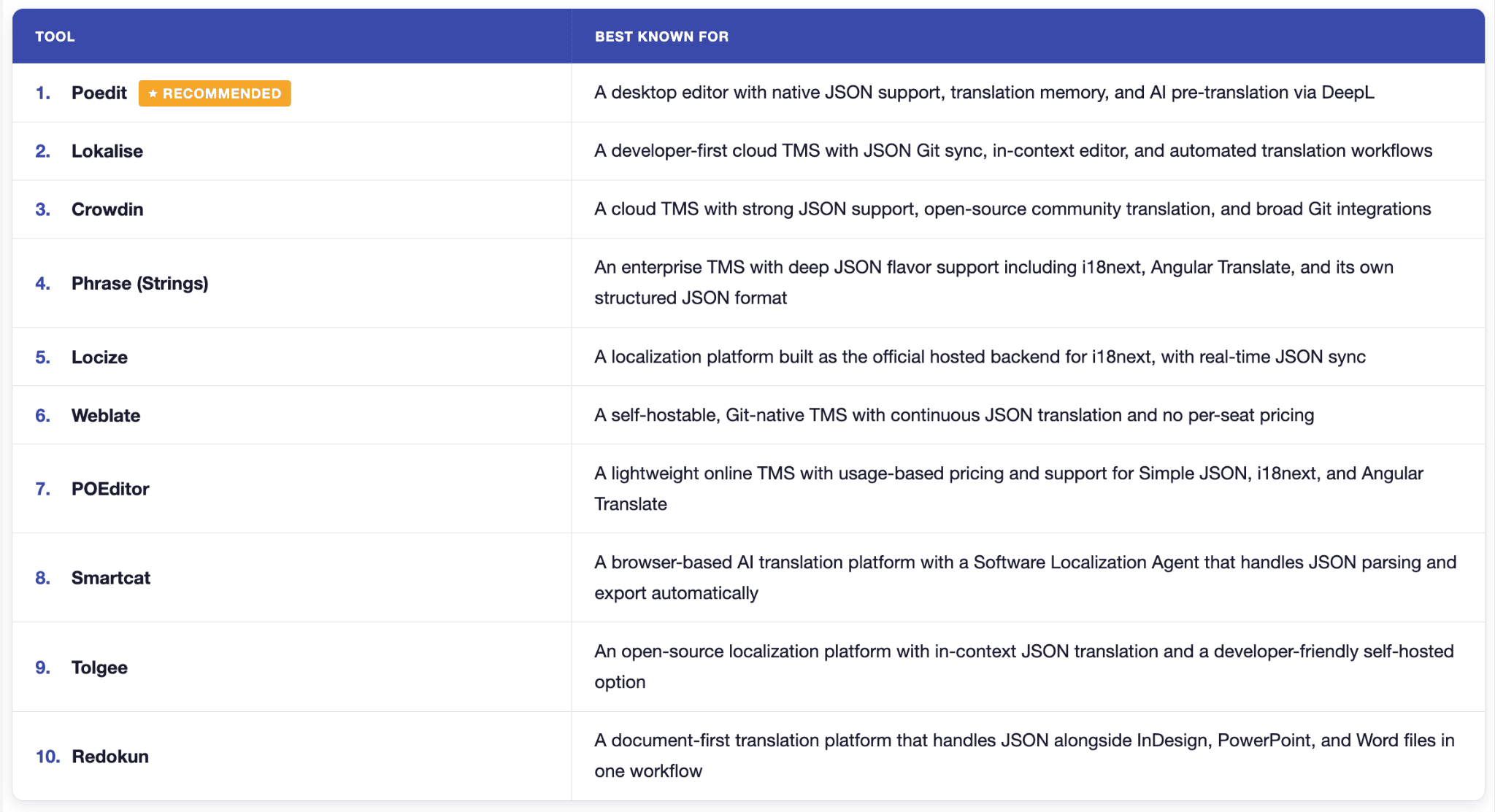
If you prefer to skip straight to the tool, use the table below:
Understand JSON
JSON does not have an official localization standard. Every i18n library made its own rules for key structure, interpolation syntax, and plural handling. For example, these are the types of placeholders for JSON:
{ “key”: “Welcome, {name}” }
{ “key”: “Welcome, {{name}}” }
{ “key”: “Welcome, %{name}” }
{ “key”: “Welcome, %s” }
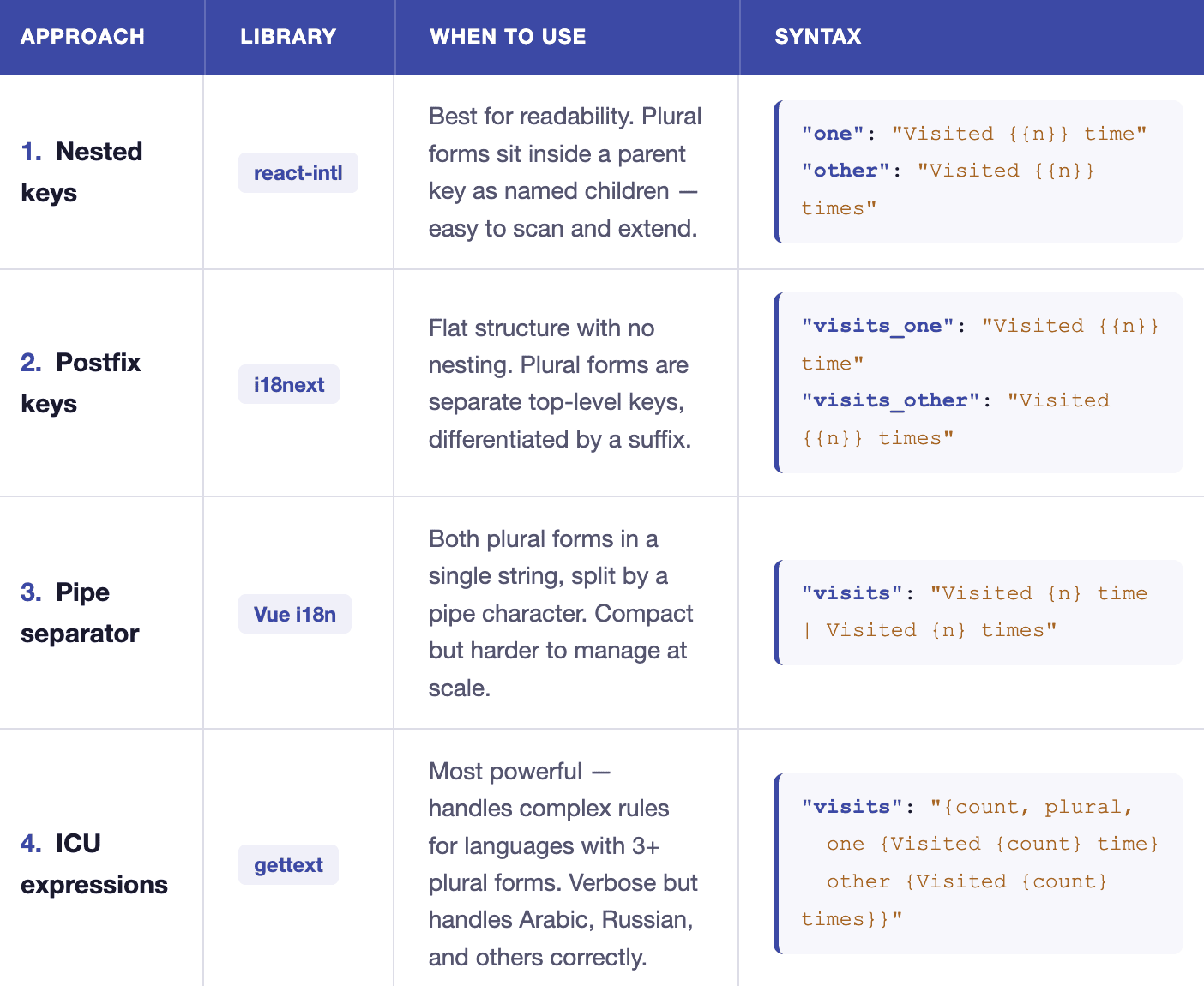
The same goes for pluralization, with each library having a different syntax:
How JSON Translation Tools Help
-
It separates keys from values. A good tool shows you only the text to translate and locks the keys, so you can’t accidentally translate dashboard.welcome instead of “Welcome back.” This is the single most common manual mistake.
-
It protects placeholders. Interpolation like {{name}} or
{count}is displayed distinctly so it is harder to alter by accident. Manually, one missing brace can break the string at runtime. -
It reunites IDs with source text. When your target file is just IDs and empty values, a capable tool loads the source English alongside it so you can actually see what each key means instead of translating blind.
-
It catches structural errors before they ship. Trailing commas, broken nesting, missing keys, mismatched plural forms.
-
It scales the work. Translation memory reuses past translations, machine translation or pre-translation clears the repetitive bulk, and re-running against an updated source surfaces only the new strings so a growing app doesn’t mean re-translating everything.
Now let’s get into each JSON translation tool to see how they can help you with the work:
1. Poedit
Poedit is the most widely used desktop editor for translating localization files, and alongside its long-standing gettext support it now handles JSON (.json) natively, including i18next, vue-i18n, and Flutter ARB files. It runs on Windows, Mac, and Linux, and has been the go-to tool for translators and developers for over two decades.
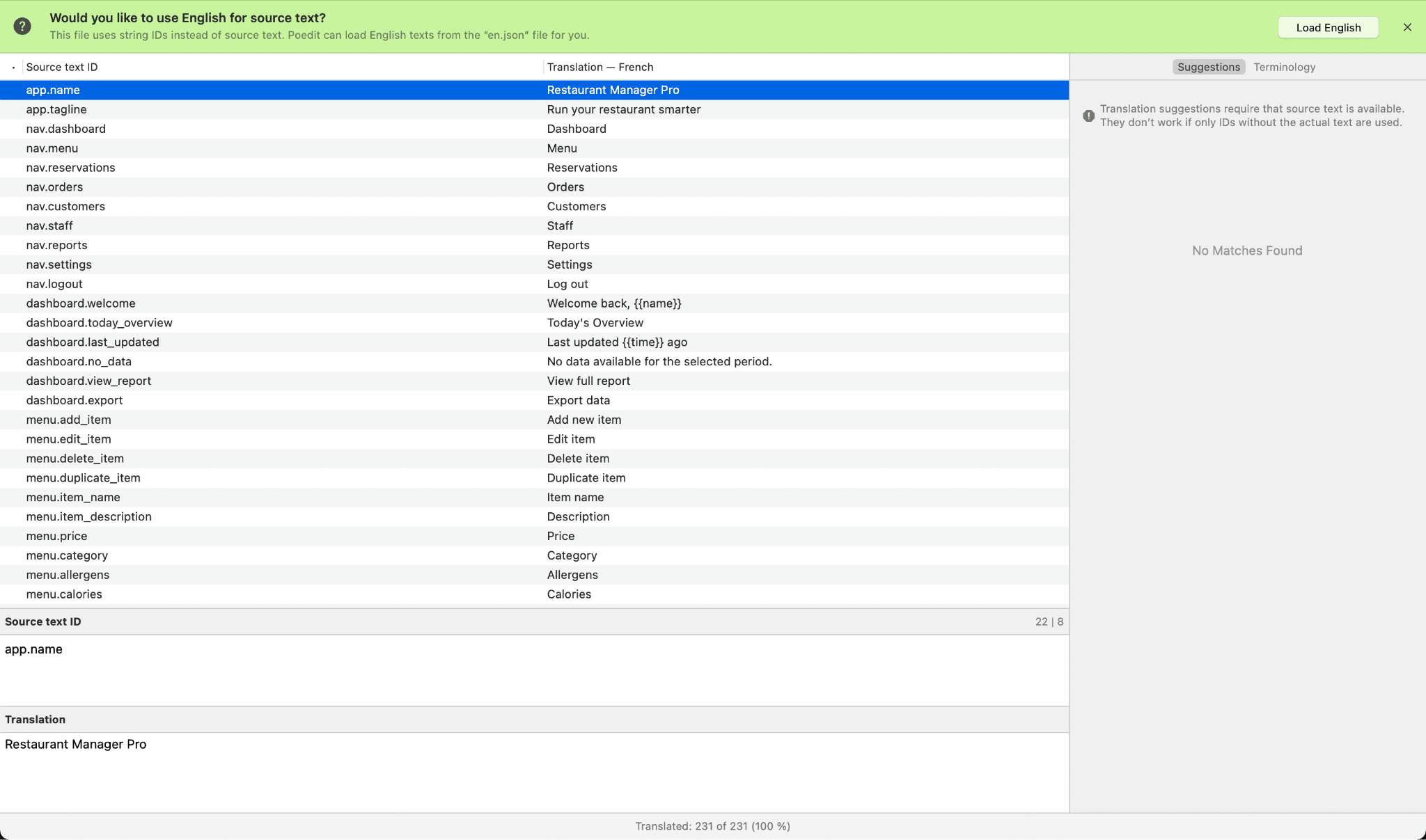
Poedit keeps things simple:
- As you open the JSON file in Poedit, it automatically detects whether the keys are real source text or symbolic IDs like
app.nameornav.dashboard - If only IDs are present, Poedit labels the left column “Source text ID” and looks for a matching source file (typically
en.json) in the same folder - A green banner appears at the top offering to load the source file with one click; if no match is found, you can attach one manually via Translation → Source Text → Load from Another File
- Once the source file is linked, the left column switches from IDs to readable text and advanced pre-translation becomes available
- Translate each entry on the right side, with interpolation placeholders (
{{name}},{count}) highlighted and checked for mismatches
Poedit’s advanced pre-translation can combine translation memory with supported machine translation services to process untranslated entries quickly.
Poedit is the most widely used desktop translation editor available for Windows, Mac, and Linux. Its tight integration with the world’s most popular CMS, WordPress, has made it nearly ubiquitous among web developers and translators.
- Features: PO / POT / MO, XLIFF, JSON (nested, flat, i18next, ARB), Qt, and Flutter support; advanced pre-translation; translation memory; placeholder checks; translation validation; built-in Crowdin and Localazy sync; WordPress theme and plugin translation
- What makes it stand out: Offline-first, no account required, and covers both legacy gettext and modern app formats
- Pricing: Free version available; Pro is a one-time purchase and Pro+ is an annual subscription
- Great fit for: Solo developers, freelance translators, WordPress projects, anyone who wants a no-fuss local editor without a SaaS subscription
Download: Download Poedit
Homepage: Poedit translation editor
2. Lokalise
Lokalise is a cloud-based translation management system built for software and SaaS teams that need to move fast on localization. It’s the default choice for SaaS and mobile product teams running continuous localization.
Lokalise is purpose-built for code-driven workflows, with native connectors for GitHub, GitLab, and Figma that keep localization in sync with every code push. It also has strong inline editor, branching support, and a polished CLI that fits naturally into CI/CD.
For JSON translation specifically, you can use Lokalise’s online editor. You can type translations manually, accept inline machine translation suggestions, or bulk-translate empty keys using Google Translate or DeepL in one click.
- Features: JSON (i18next, ARB, structured), XLIFF, YAML, gettext, .strings, branching, machine translation (DeepL, Google, Microsoft), Figma plugin, GitHub/GitLab/Bitbucket integration, in-context editor, translation memory, glossaries
- What makes it stand out: Figma → code workflow and one of the most polished APIs in the category
- Pricing: From ~$140/month (Start plan); enterprise tiers higher
- Great fit for: Funded SaaS teams, mobile-first products, design-driven localization
Website: Lokalise
3. Crowdin
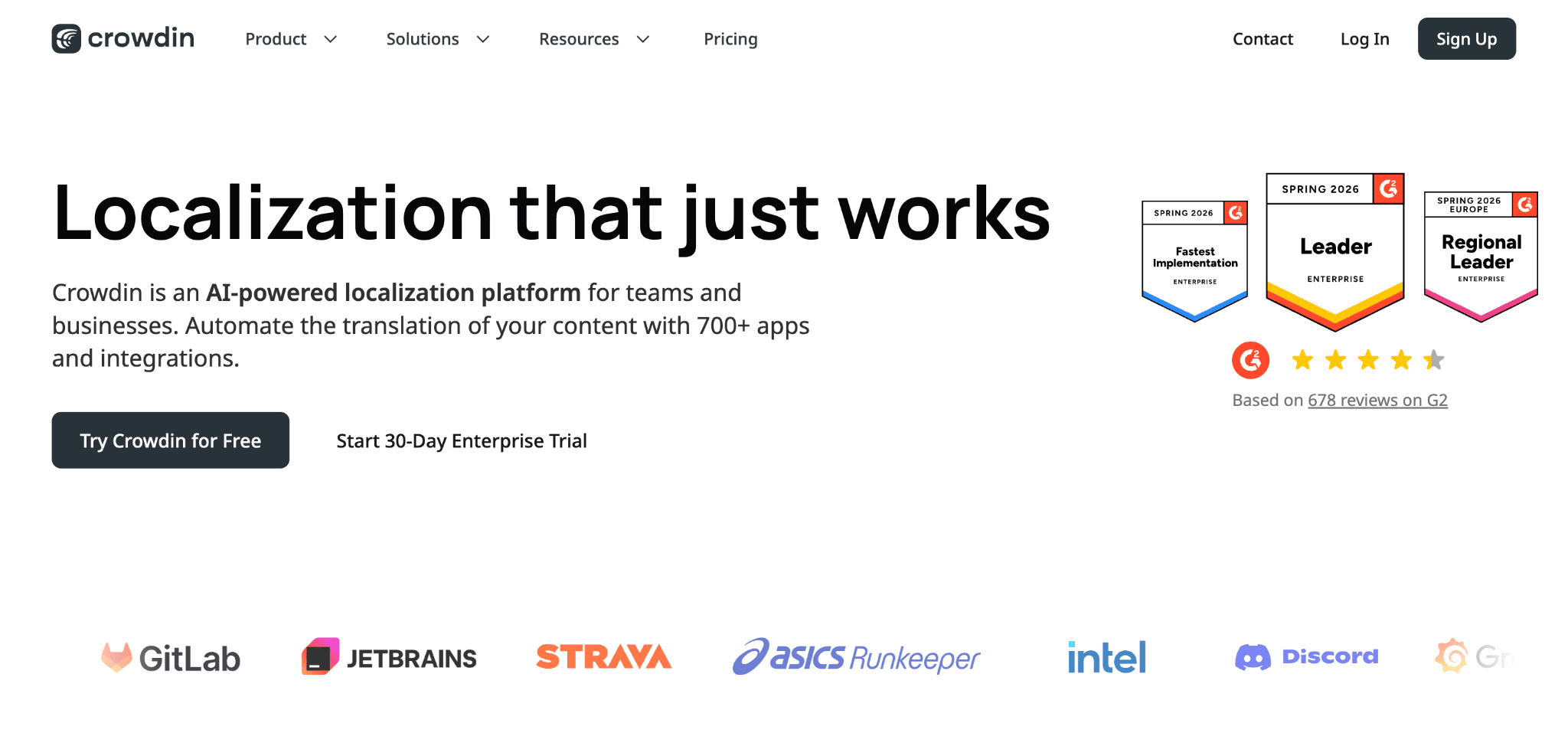
Crowdin is a cloud-based localization platform built around developer and open-source workflows, and one of the most widely used TMS platforms for software teams. It offers deep integration coverage along with a generous free tier for open-source projects.
Crowdin can handle a wide range of JSON flavors and has the most active community translator ecosystem of any TMS. You can read more about Crowdin JSON localization here.
- Features: JSON (i18next, generic, Chrome i18n), ARB, XLIFF, YAML, .strings, Google Play / App Store integration, GitHub / GitLab sync, machine translation, TM, glossary, in-context preview, community translation workflows
- What makes it stand out: Free tier for open-source projects, large translator marketplace, broadest integration catalog
- Pricing: Free for open source; paid plans from ~$50/month (Pro), enterprise tiers higher
- Great fit for: Open-source projects, community-translated apps, teams wanting a marketplace of translators on tap
Website: Crowdin
4. Phrase (Strings)
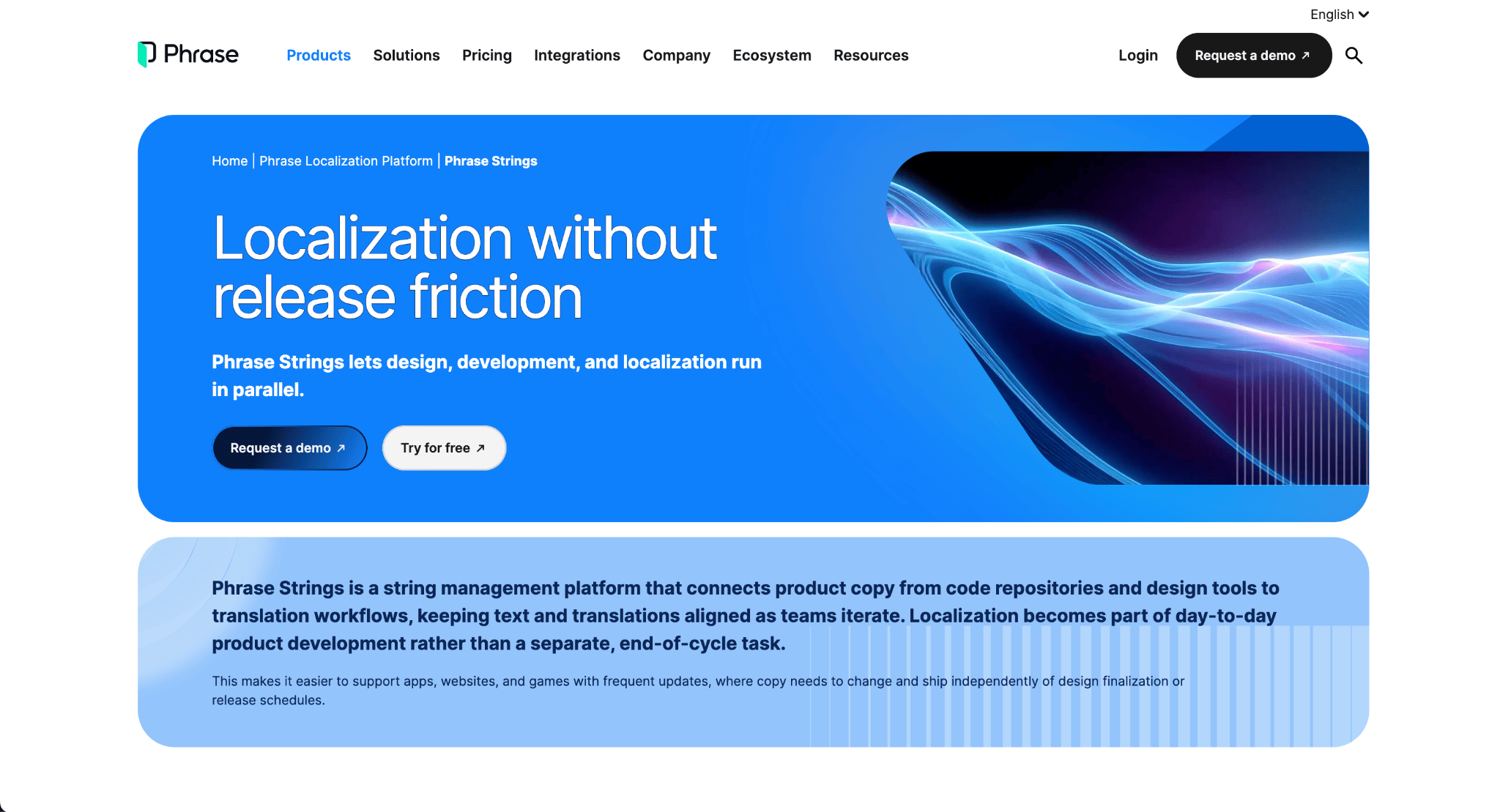
Phrase Strings is purpose-built for code-driven localization, and its parent platform (formerly Memsource) brings serious CAT-tool depth for teams that also need to translate marketing content.
For JSON file localization, Phrase supports i18next, i18nextV4, Angular Translate, Simple JSON, and even its own Phrase Strings JSON format as distinct upload options.
- Features: JSON (i18next, ARB, simple), XLIFF, gettext, Apple .strings, GitHub/GitLab/Bitbucket integration, machine translation (DeepL, Google, Microsoft, Amazon), branching, CLI, in-context editor, advanced QA checks
- What makes it stand out: Enterprise-grade QA and reviewer workflows; bridges developer JSON and traditional CAT-tool TMX/TBX assets
- Pricing: Phrase Strings from ~$27/user/month (Starter); enterprise tiers higher
- Great fit for: Mid-to-large product teams with compliance or review requirements, hybrid software + marketing localization
Website: Phrase
5. Locize
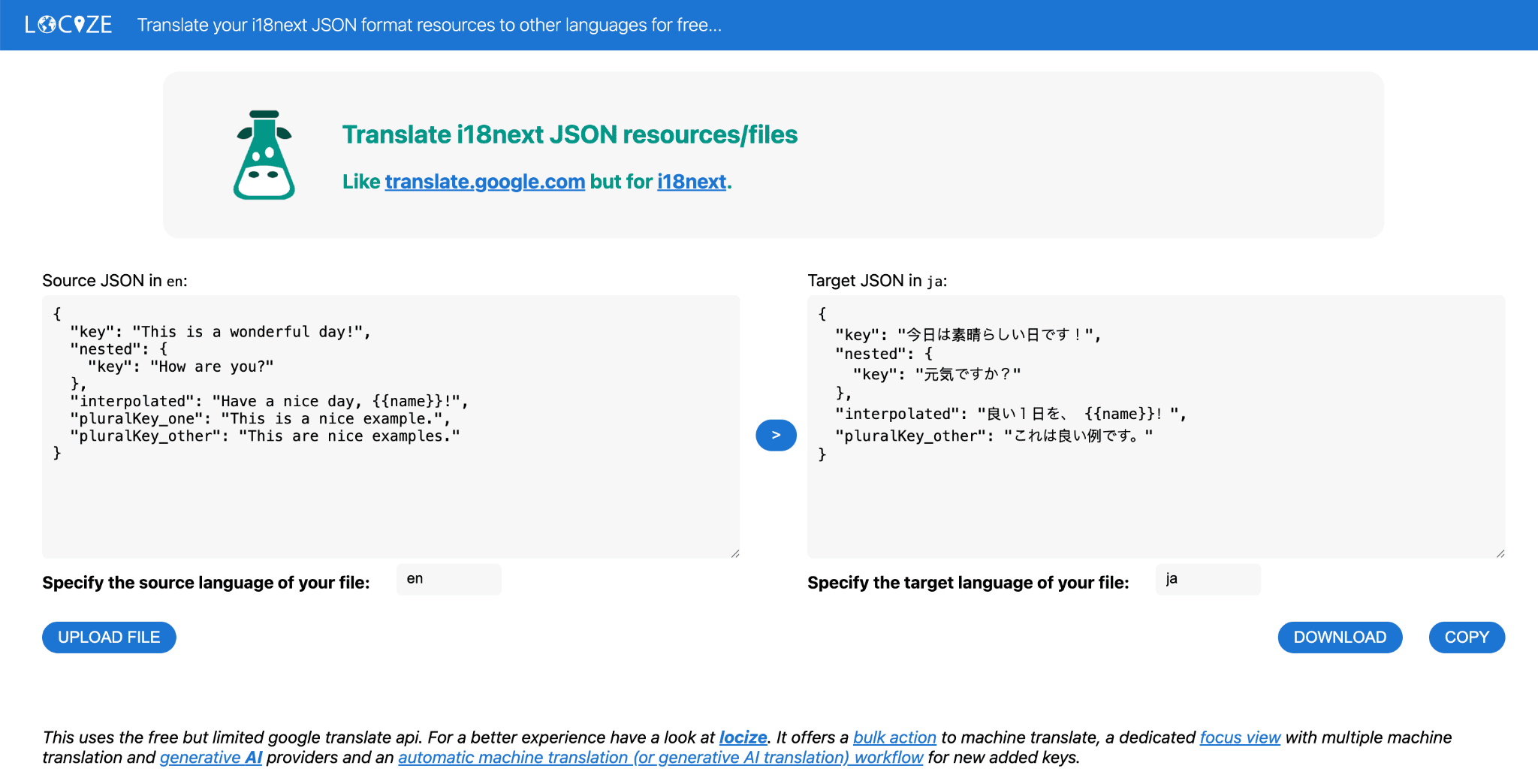
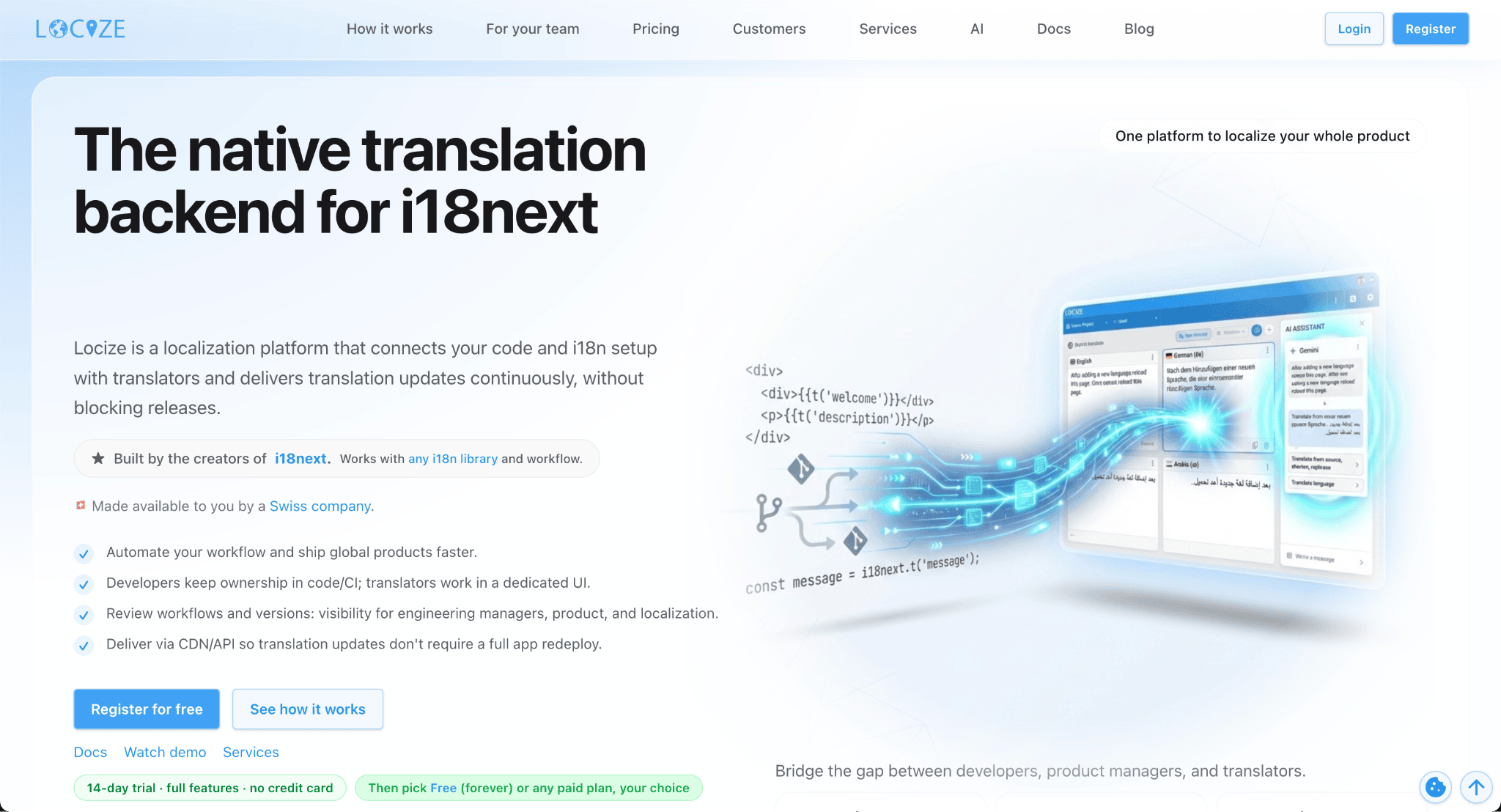
Locize is built by the team behind i18next themselves. It brings you real-time translation updates and continuous localization through tight i18next integration. Your app can fetch translations from Locize’s CDN directly via i18next-locize-backend, no rebuild required.
Locize even has a free JSON Translation Editor at translate.i18next.com. It uses the free but limited Google Translate API.
- Features: i18next JSON (first-class), ARB, XLIFF, real-time CDN delivery, namespaces, versioning, machine translation, TM, in-context editor, professional translation order workflow
- What makes it stand out: OTA translation updates without redeploying; the only TMS designed around i18next rather than retrofitting it
- Pricing: Free tier (limited words); paid plans from ~$5/month (Essential) scaling by word count
- Great fit for: React, Next.js, and Vue teams already using i18next; products needing live translation updates without app store releases
Download: Locize
6. Weblate
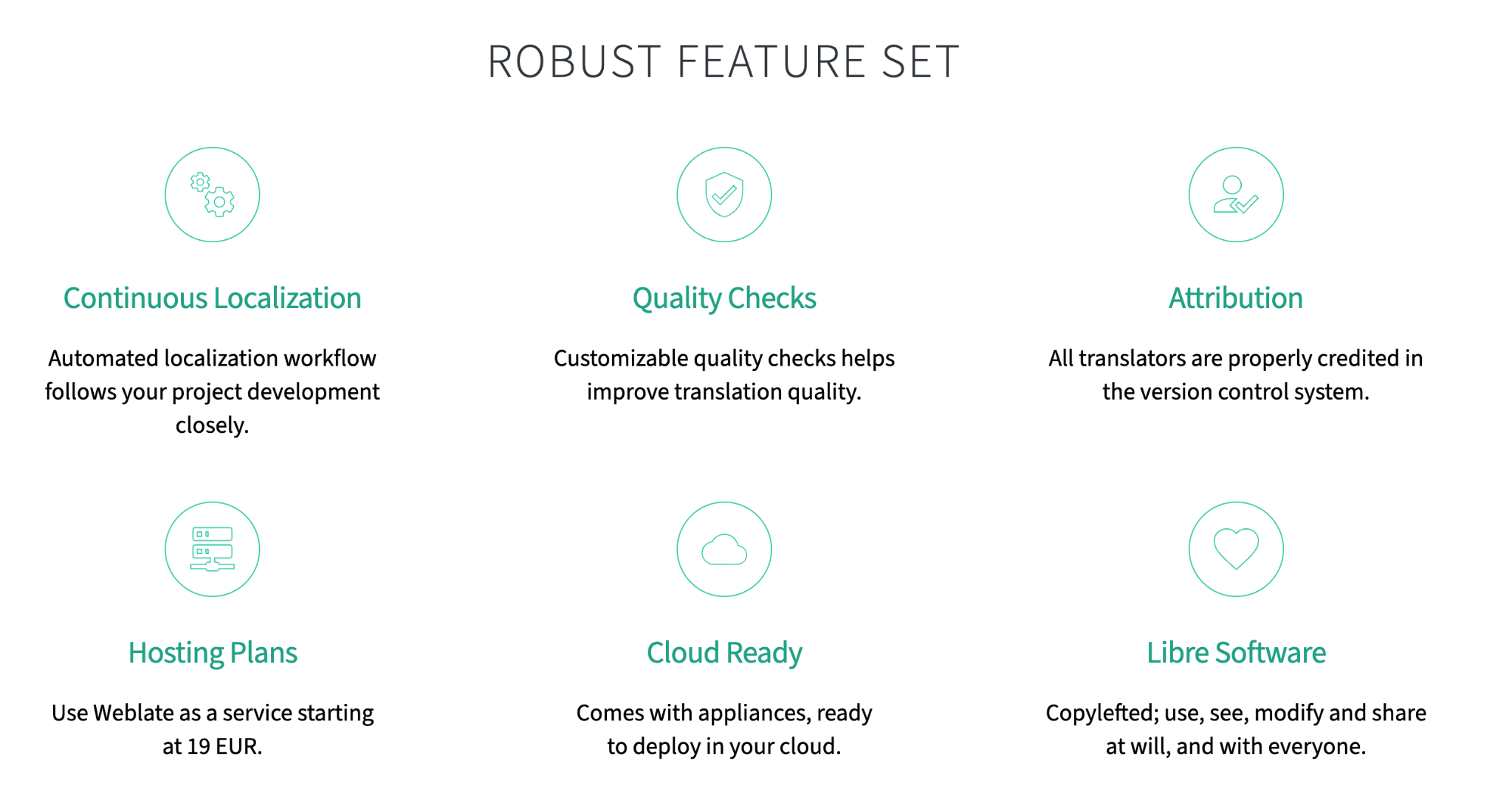
Weblate is an open-source, Git-native translation management platform built for developer teams that want tight version control integration and the option to self-host their entire localization infrastructure.
The core of Weblate’s workflow is its Git integration. It allows translators to work directly with your code in real time without disrupting the development flow, and supports continuous translation so you can push source string updates to your repository without manual steps.
For JSON specifically, Weblate supports JSON and YAML alongside Android strings.xml, iOS .strings, XLIFF, and app store metadata. Every string in the editor surfaces description, nearby strings, images, related source code, and glossary entries as context for the translator.
- Features: JSON (i18next, generic, ARB), XLIFF, gettext, YAML, Android XML, Apple .strings, Git-native sync, machine translation, TM, glossary, QA checks, community translation
- What makes it stand out: Self-hostable, fully open-source, Git-as-storage model treats translations as code
- Pricing: Free if self-hosted; hosted Weblate from ~$19/month
- Great fit for: Open-source projects, privacy-sensitive deployments, teams with strong DevOps capacity
Website: Weblate
7. Lingo.dev (formerly Replexica)
Lingo.dev (formerly Replexica) is a CLI-first localization engine built for modern JavaScript frameworks.
It works entirely from your terminal. You can just run lingo localize and it reads your JSON, infers context from key names and surrounding component code, and writes translated files back out.
For JSON translation specifically, Lingo supports i18next and generic flat JSON out of the box.
- Features: JSON (i18next, flat), React/Next.js/Svelte/Angular support, CLI-native workflow, AI translation with code context, GitHub Actions integration, translation memory
- What makes it stand out: You can run Lingo in CI and translated files are committed automatically
- Pricing: Free tier available; paid plans from ~$19/month
- Great fit for: Solo developers and small teams on Next.js or React who want zero-friction JSON localization without leaving the terminal
Website: Lingo.dev
8. Smartcat
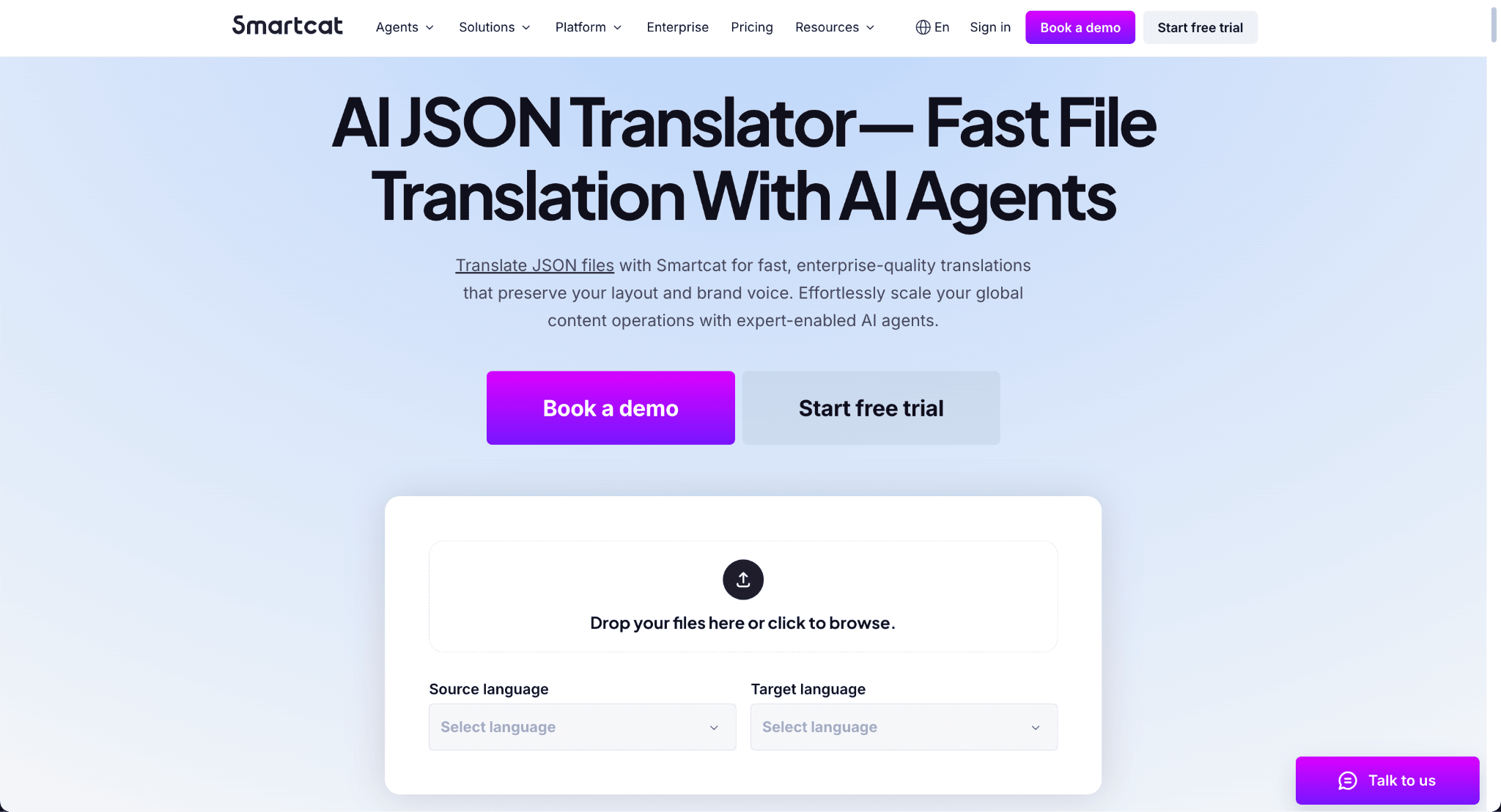
Smartcat is a browser-based translation platform that combines an AI-powered editor, a freelancer marketplace, and a TMS in one place. Its dedicated JSON translation tool is built around a Software Localization Agent that handles file parsing, translation, and export without any manual formatting or file conversion required.
Here’s how you do it:
- You drag and drop a JSON file directly into the platform, select your source and target languages, and the Software Localization Agent generates context-aware translations automatically, with keys and placeholders preserved throughout
- You then review and edit strings in Smartcat’s editor before exporting the completed JSON file, with the entire workflow contained in one tab
Smartcat supports over 280 languages and 80+ file formats, and 25% of the Fortune 500 use it as their localization platform of choice.
- Features: JSON upload and export, AI-powered Software Localization Agent, translation memory, 280+ languages, 80+ file format support, real-time collaboration, freelancer marketplace, revision management, custom workflows
- What makes it stand out: The only tool on this list that combines an AI translation agent, a built-in reviewer workflow, and access to a marketplace of professional translators in a single browser-based platform with no installation required
- Pricing: Free trial available. Paid plans from $99/month
- Great fit for: Enterprise and product teams that need scalable JSON translation without a desktop CAT setup, and want the option to loop in human translators from the same platform
Website: Smartcat JSON Translation
9. Tolgee
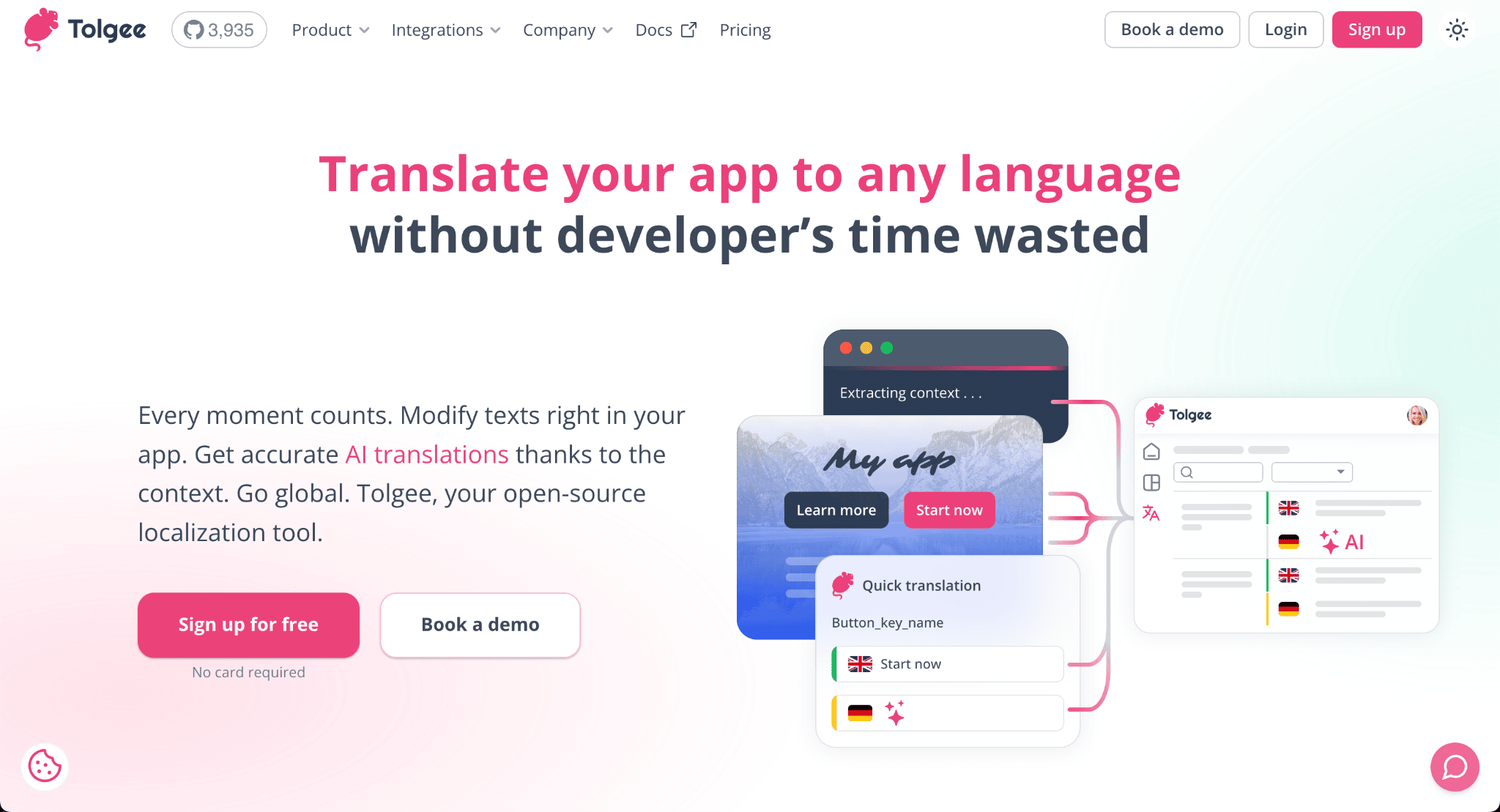
Tolgee is a newer open-source TMS with a strong in-context editing feature. Developers can wrap their app with the Tolgee SDK and translators edit copy directly on the live page. It comes with surprisingly modern AI features for an open-source tool.
- Features: JSON (i18next, generic, ARB), XLIFF, gettext, YAML, .strings, in-context translation via SDK, GitHub integration, machine translation (Google, DeepL, AWS), AI translation with project context, screenshots auto-attached as visual context
- What makes it stand out: True in-context editing for live apps; self-hostable; visual context capture is rare at this price point
- Pricing: Free tier (1,000 strings); cloud plans from ~$24/month; self-hosted is free
- Great fit for: Startups, open-source projects, teams that want in-context editing without enterprise pricing
10. Redokun
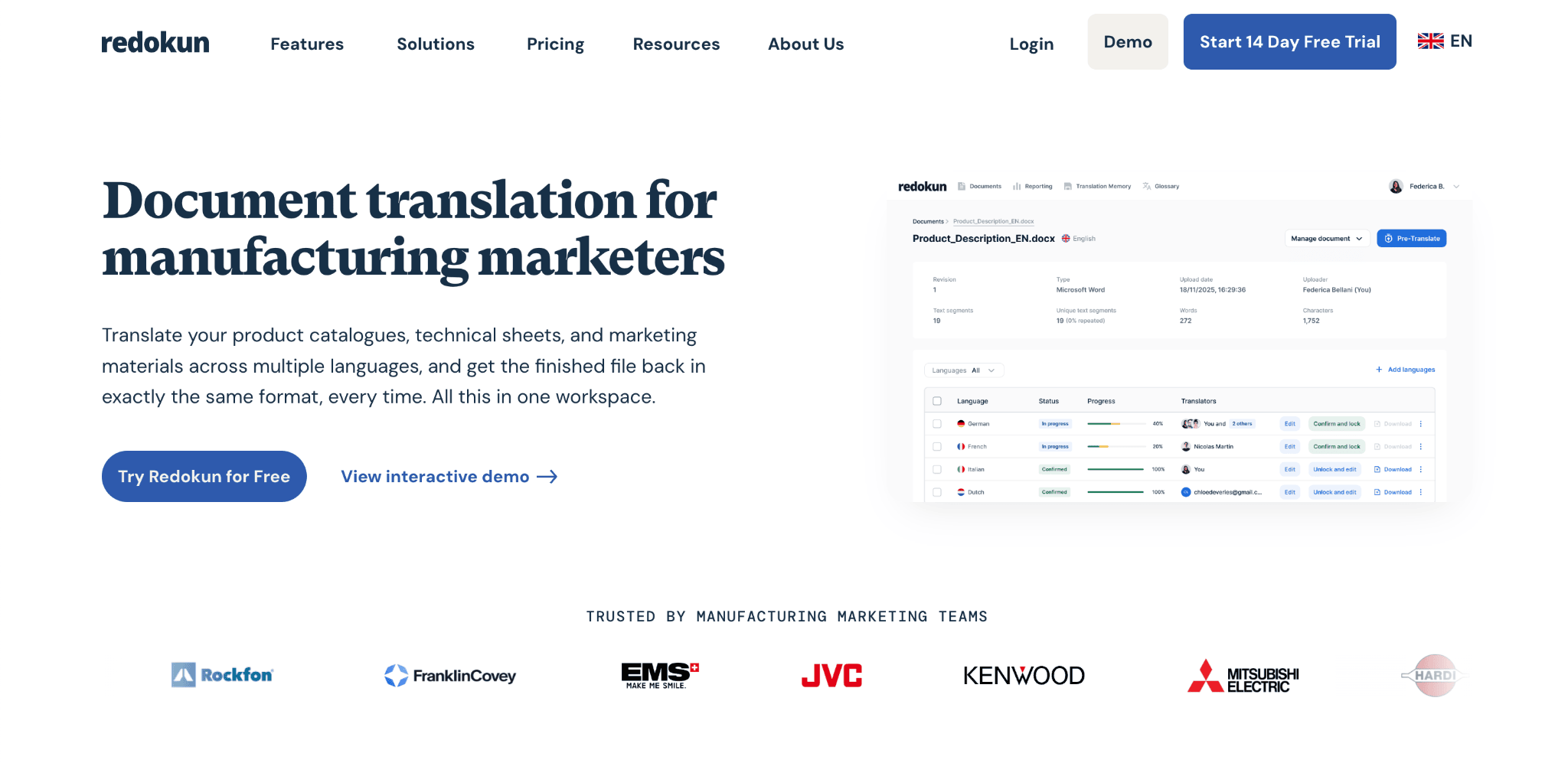
Redokun is a cloud-based translation platform built around document translation with full layout preservation. While most TMS platforms are optimized for software strings and UI files, Redokun is a practical option for teams that work primarily in design and office formats but occasionally need to handle JSON files as part of a broader localization pipeline.
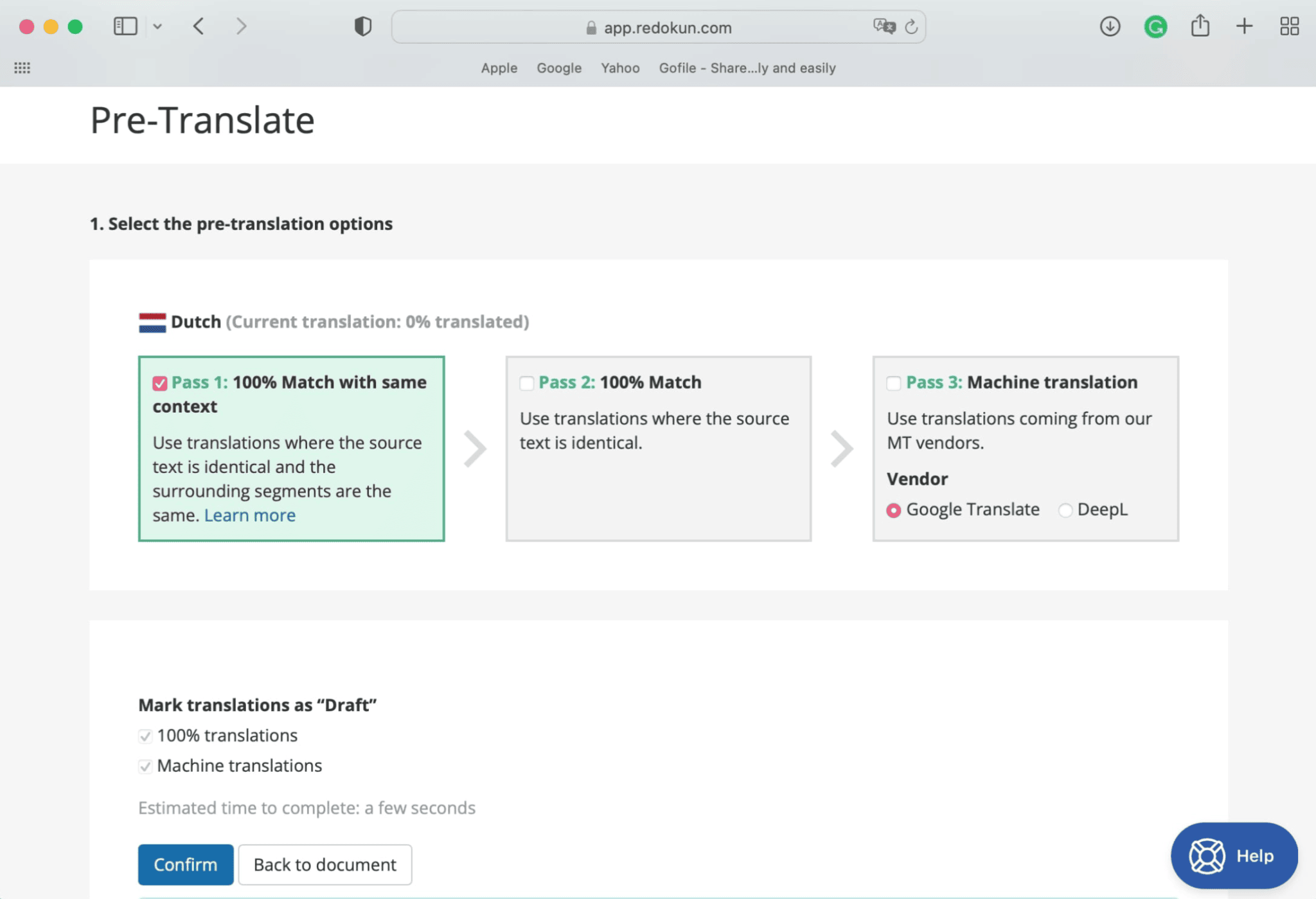
Redokun handles JSON translation through a browser-based editor:
- You upload a JSON file and Redokun parses the translatable strings out of the key-value structure, presenting them in a clean editor without exposing the underlying JSON syntax to translators
- You assign translators by entering their email address, and they are notified and given immediate access
- Before translators begin, you can run pre-translation using translation memory from past approved projects or machine translation to fill in the blanks, then send only the remaining strings for human review
Where Redokun fits into a JSON workflow is as a bridge between technical and non-technical teams. Developers export the JSON, upload it to Redokun, and translators work in a clean interface before the file is exported back with the original structure intact.
- Features: JSON upload and export, translation memory, machine translation (DeepL, Google Translate, OpenAI GPT), team collaboration with role-based access, pre-translation, revision workflow, support for Word, InDesign, PowerPoint, Excel, PDF, HTML, and SRT alongside JSON
- What makes it stand out: The only tool on this list that lets the same team translate JSON files and designed documents like InDesign brochures or PowerPoint decks inside a single platform, making it the most practical option for marketing and localization teams that handle both content types
- Pricing: Paid plans from $125/month for 600K words, scaling up to $650/month for unlimited words. Free trial available.
- Great fit for: Marketing and content teams that need to translate JSON files alongside designed documents, and want a single platform rather than separate tools for each file type
Website: Redokun